

KOTORI — Festival Mobile Order
● My Role
Product Designer
Sole End-to-end product design for live festival operations.
Period: 2025 July- Present
Phase: 0-2
Discovery
Feature Scoping
Mobile App Designs
UI Solutions
On-site Observation
Iterative Validation
● About
A web-based order management system that helps festival vendors receive, prepare, and manage KOTORI orders efficiently while handling busy booth operations.
● Background
As Smiles grew as a major festival sponsor, we worked more closely with organizers and discovered a key problem: long food queues were hurting the visitor experience and limiting vendor sales. This led us to create KOTORI.
● The Problem
The Vendor Challenge

01 — PROBLEM
Managing Two Order Flows
Vendors must handle walk-in and KOTORI orders simultaneously

02 — PROBLEM
High-Pressure Operations
Vendors need a simple flow to receive, prepare, and complete orders quickly.

03 — PROBLEM
Unstable Festival Connectivity
Crowded venues can cause slow or unstable internet
● Main Objective
Make every important action understandable within seconds.

The vendor experience keeps the complete order lifecycle visible from a compact mobile device, prioritizing speed, visibility, and minimum interaction so booth staff can focus on food preparation.
INCOMING ORDER → CONFIRM → PREPARE → READY → PICKUP → RECEIVED
03 — Design Principles & Order Management
Designed for fast-paced operations
Design Principles
Accessible and UX First
simple flows that help every vendor quickly set up their store, manage menus, and process orders.
Key Features
Incoming orders at a glance
New work surfaces immediately.
Clear order numbers
Fast recognition for staff and customers.
Menu and quantity clarity
No ambiguity before preparation starts.
Status visibility
Current state stays legible during the rush.
Primary actions stay close
Ready, Received, and Cancel never disappear.
Active vs. completed orders
The queue remains focused and scannable.
OUR SOLUTIONS
Designing Around Vendor Attention
01
Sound & Vibration
PROBLEM · Orders may be missed
→ DESIGN RESPONSE · Multichannel alert
→ OPERATIONAL BENEFIT · Faster awareness
02
Order Recognition
PROBLEM · Dense order detail
→ DESIGN RESPONSE · Scannable cards
→ OPERATIONAL BENEFIT · Less inspection
03
Faster Processing
PROBLEM · Too many actions
→ DESIGN RESPONSE · Inline status actions
→ OPERATIONAL BENEFIT · More prep focus
04
Menu Management
PROBLEM · Inventory changes
→ DESIGN RESPONSE · Instant availability
→ OPERATIONAL BENEFIT · Fewer unavailable orders
05
Store Setup
PROBLEM · Limited setup time
→ DESIGN RESPONSE · Centralized controls
→ OPERATIONAL BENEFIT · Faster readiness
06
Role-Based Operations
PROBLEM · Different responsibilities
→ DESIGN RESPONSE · Permission by role
→ OPERATIONAL BENEFIT · Safer operations
● THE VENDOR PROBLEM
Designing for a crowded booth, not a back office
Festival vendors need to manage walk-in customers and digital orders simultaneously in a fast, crowded environment. Live testing showed that staff could miss incoming orders, struggle with status management, and spend too much time navigating the interface instead of preparing food.
Missed incoming orders
Digital orders could be overlooked during peak service.
Order IDs were hard to scan
Critical Received and Cancel actions were difficult to find.
Monitoring ownership was unclear
Staff responsibilities for monitoring KOTORI were not always assigned.
Vendor setup took too long
Menu registration and store setup competed with physical booth preparation.
Connectivity interrupted operations
Unstable venue internet risked breaking the order flow at peak times.
Our Solutions
UX Design Result

Order Identification & Visibility
Recognizing Orders at a Glance
Prioritized order number, menu items, quantity, and status on each card, with clearer visual hierarchy so vendors can identify the right order without opening its details.
Faster Order Processing
Fewer Actions from Order to Pickup
Simplified the operational flow into Received → Preparing → Ready → Picked Up, keeping frequent status actions directly within the order workflow and reducing unnecessary navigation.


Fast & Accessible User Experience
Designed for Outdoor Festival Use
Since the event environment is crowded and the outdoor lighting can be very bright, users are less likely to read long text. Instead, they rely more on visuals, clear icons, and images to quickly understand information at a glance. Customers need a fast, clear, and trustworthy web app for this new app.


Set Up Notifications
New Order Notification
Mark as Ready


Customer Notified
Order Details
Customer Received
During peak festival hours, staff have to manage walk-in customers and digital orders at the same time. New orders can easily be missed or processed incorrectly. I simplified the workflow into clear order states—New Order → Ready → Customer Received → History—supported by visual status changes, sound, and vibration notifications so staff can understand what needs attention at a glance.
Easier Store & Menu Setup
Faster Setup Before the Festival
Centralized store information, menu items, prices, images, and availability, allowing vendors to add, edit, reuse, and mark items as sold out from one management flow.

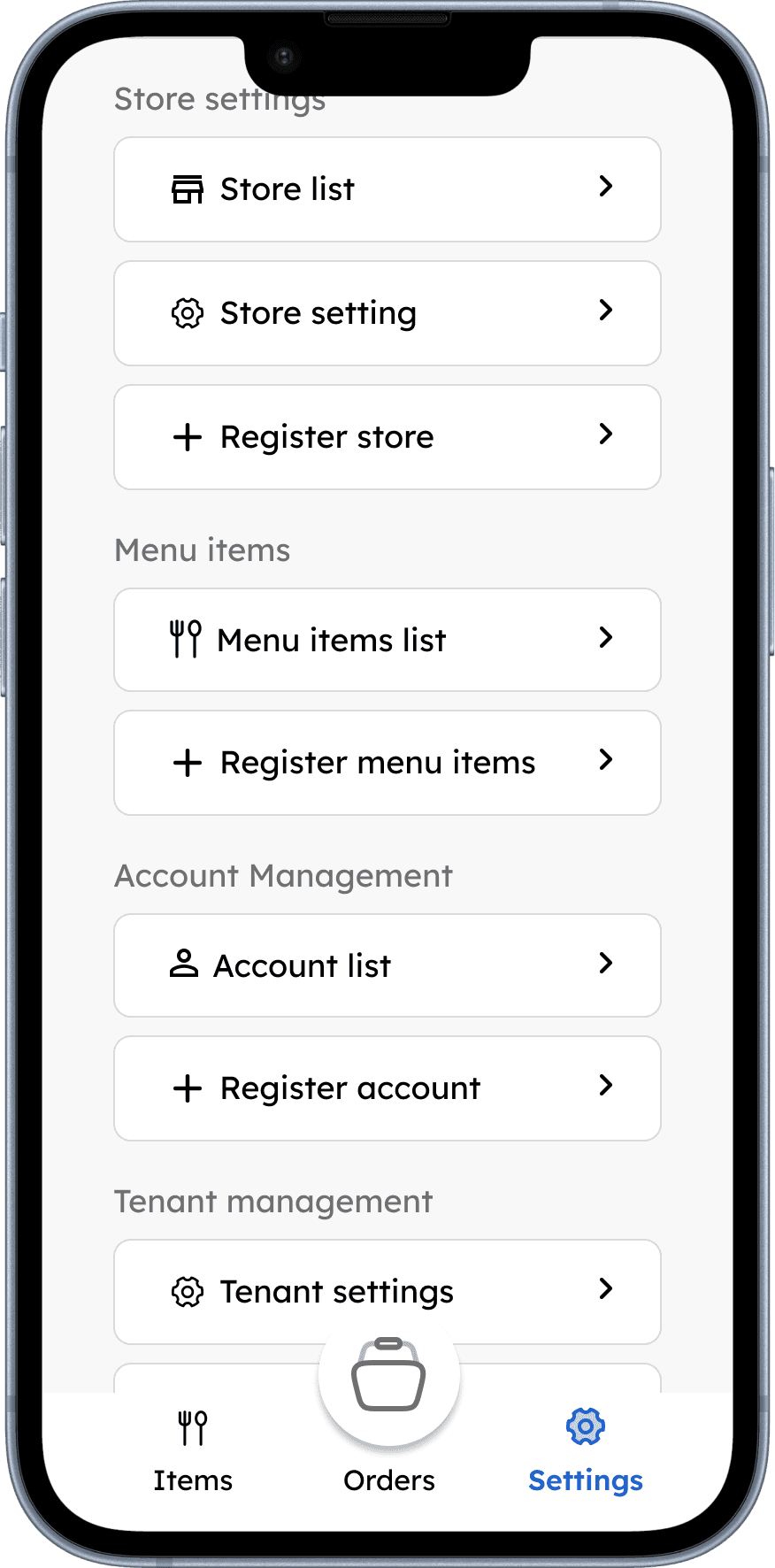


Store Settings


Preview Store
Manage Store
Store Information


Manage Menu
Menu Informations
Menu Informations
Festival vendors have limited time to prepare before opening. Store information, operating settings, menus, pickup details, and staff access need to be easy to configure from one place. I grouped these controls into a centralized settings area so managers can prepare and update their store without navigating through complicated admin tools.
Fast & Accessible User Experience
Make Earnings and Payouts Easy to Track
Vendors need a clear way to understand how much they have earned, what is still pending, and where their payouts will be sent. I centralized earnings, payout history, and bank account settings so vendors can manage their payment information without switching between different pages.


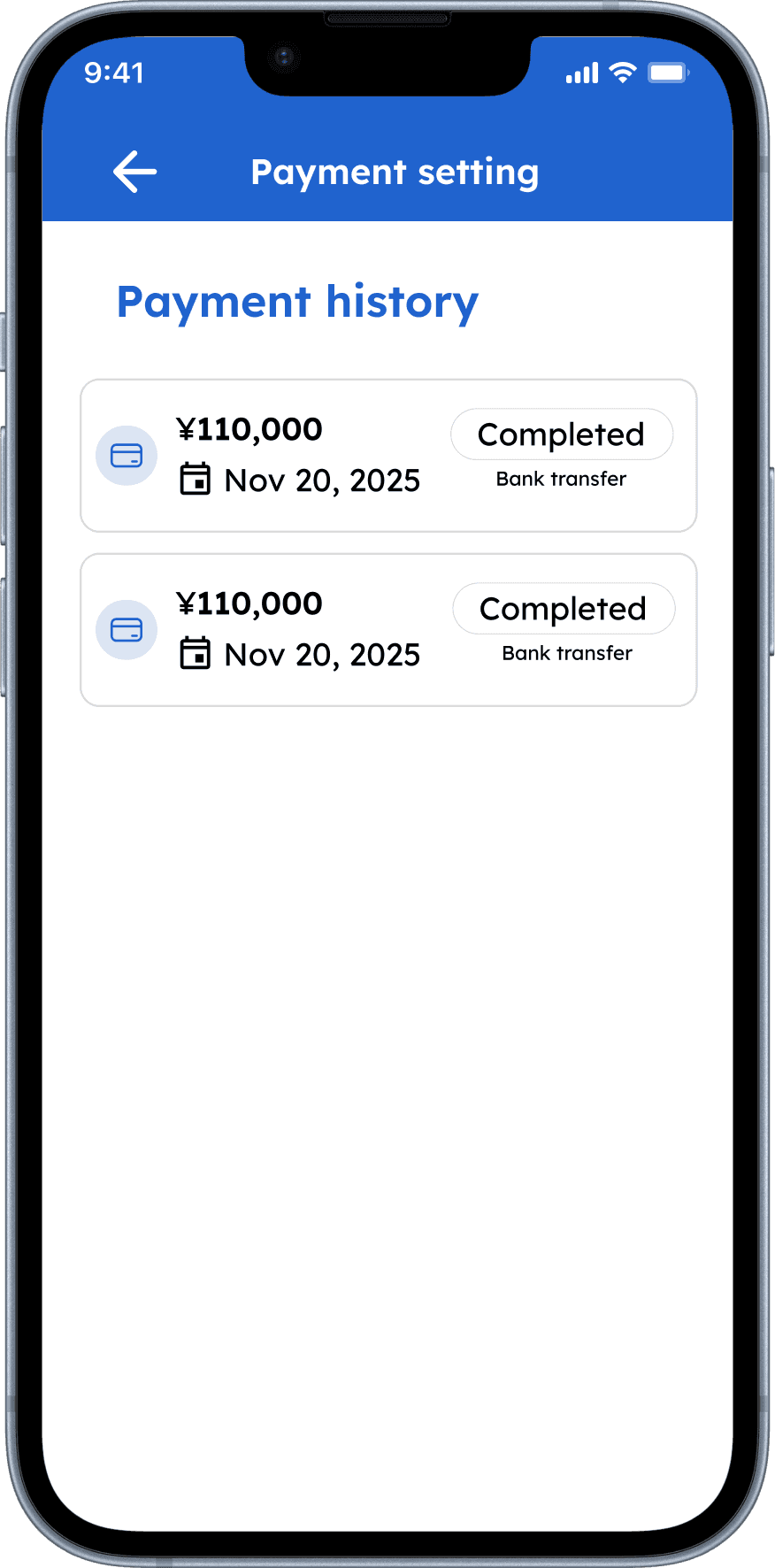


Earnings Overview
Payout History
Add Bank Account
Edit Bank Account
Role-Based Operations
Clearer Responsibilities for Staff
Separated manager and staff permissions, keeping daily order processing simple for booth staff while restricting store switching and management functions to managers.


● OUTCOME
From Pilot to
Multi-Vendor Operations
23
Participating Booths
1,118
Transactions
1,867
Items Sold
¥1.61M+
Total Sales
BOOTH SCALE
2
→
23
11.5×
TRANSACTIONS
73
→
1,118
15.3×
What this validated:
KOTORI Vendor could support digital order processing across 23 participating festival booths and more than 1,100 transactions in a live environment.
Deployment conditions differed between events. Growth cannot be attributed solely to UX changes.
● WHAT'S NEXT
The Next Question Isn't Scale.
It's Efficiency.
WHAT WE KNOW
23
Booths
1,118
Transactions
1,867
Items Sold
¥1.61M+
Sales
WHAT WE NEED TO MEASURE
Order → Acknowledgement Time
Preparation Time
Ready → Pickup Time
Missed Order Rate
Incorrect Status Rate
Sold-Out Update Time
Vendor Support Requests
From: CAN VENDORS PROCESS ORDERS?
↓
To: HOW EFFICIENTLY CAN THEY PROCESS THEM?
Bhaswara Maralaut
More projects and experiences are always on the way.
Let's keep in touch!