
Mobapro - Arunas Akatsuki
Web application that visualizes store sales in real time
Duration
Dec 2024-
Presents
Tools
Figma
Aftereffects
Adobe Illustrator
Canva
My Roles
UX/UI Designer
Design team
Mara -
Sole member UX UI Designer
Overview
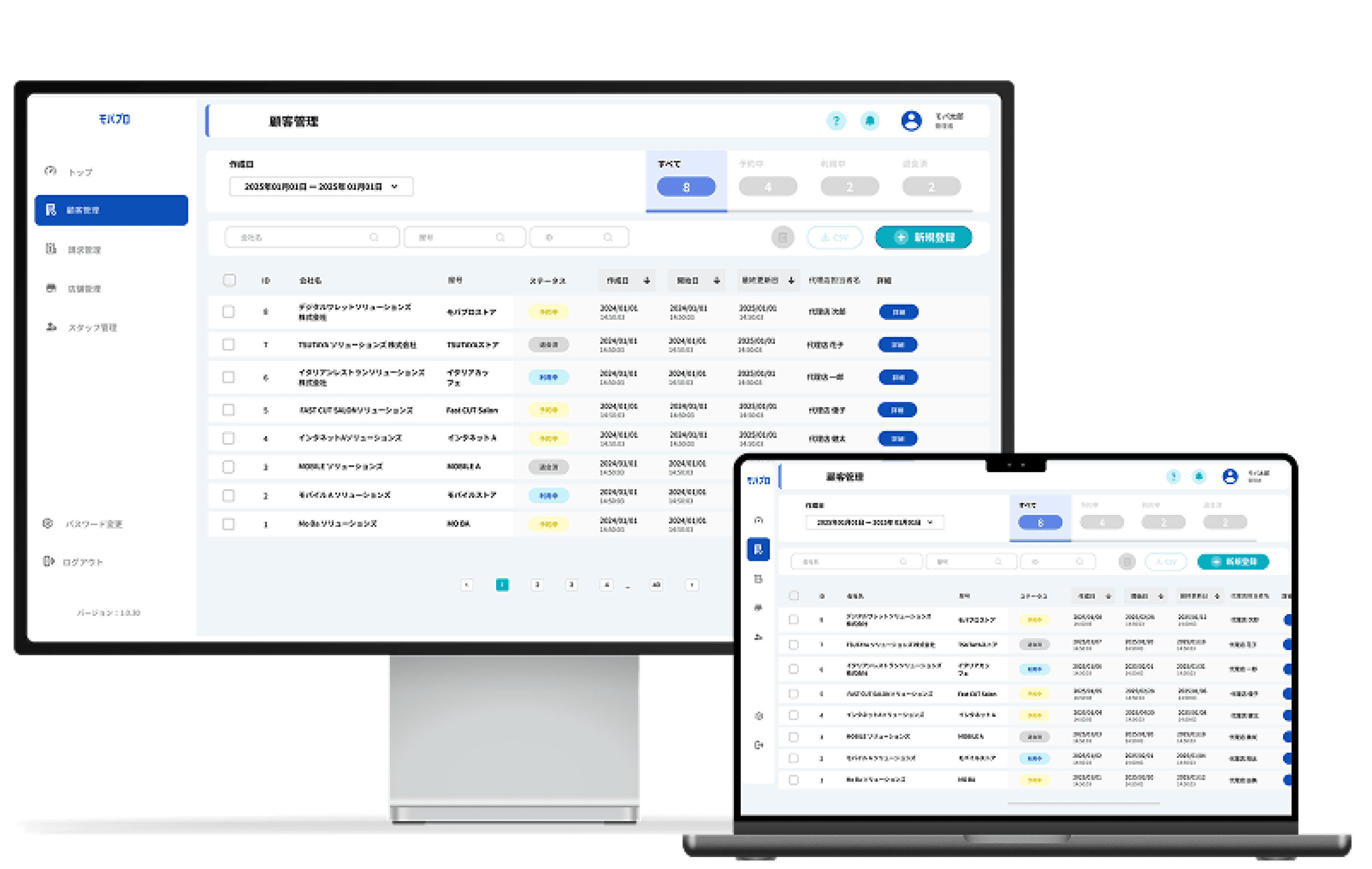
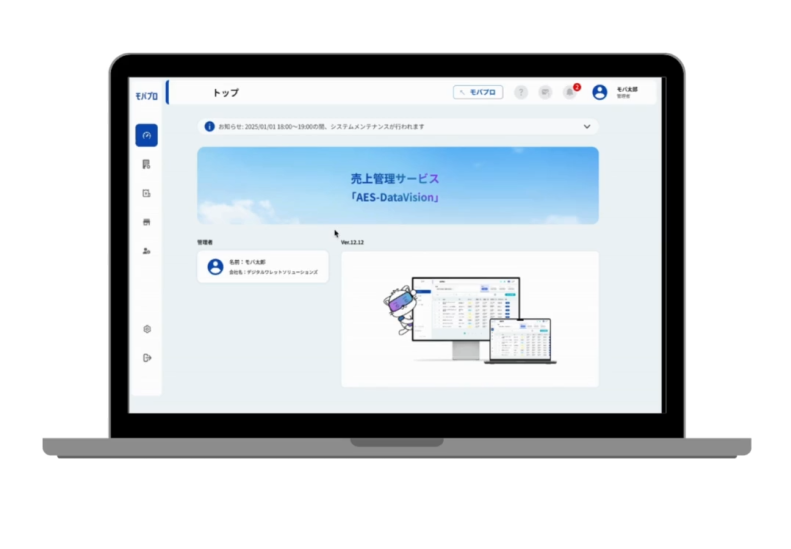
Mobapro includes a back office system for registering and managing merchants, stores, and staff with access to the platform. It features a top page dashboard with updates and links to key sections: merchant, billing, store, staff, settings, and the initial setup page for sending device configurations—all designed for streamlined operations and easy administration.
More about the service: https://www.moba-pro.jp/
Merchant Page
Store staff
Change password setting
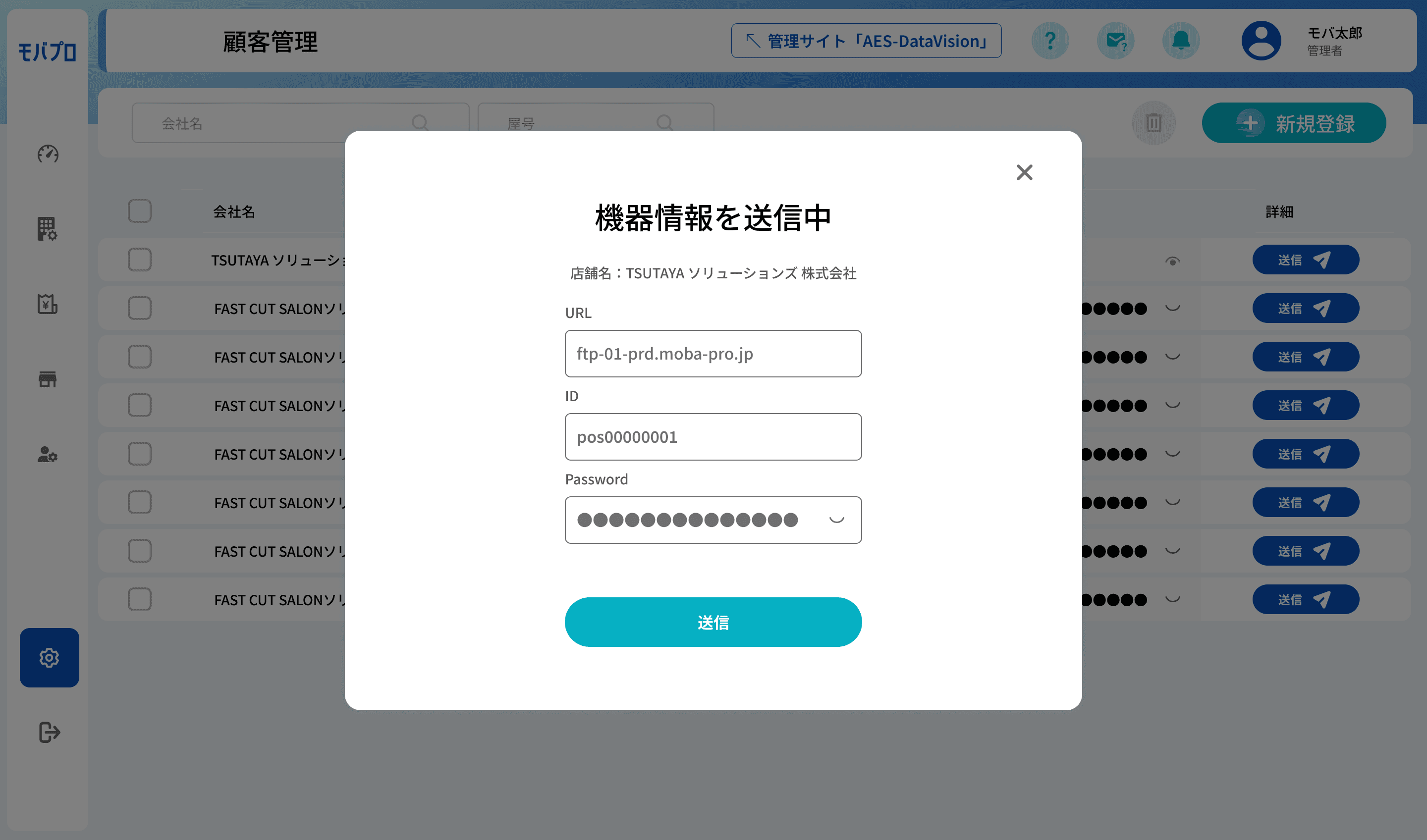
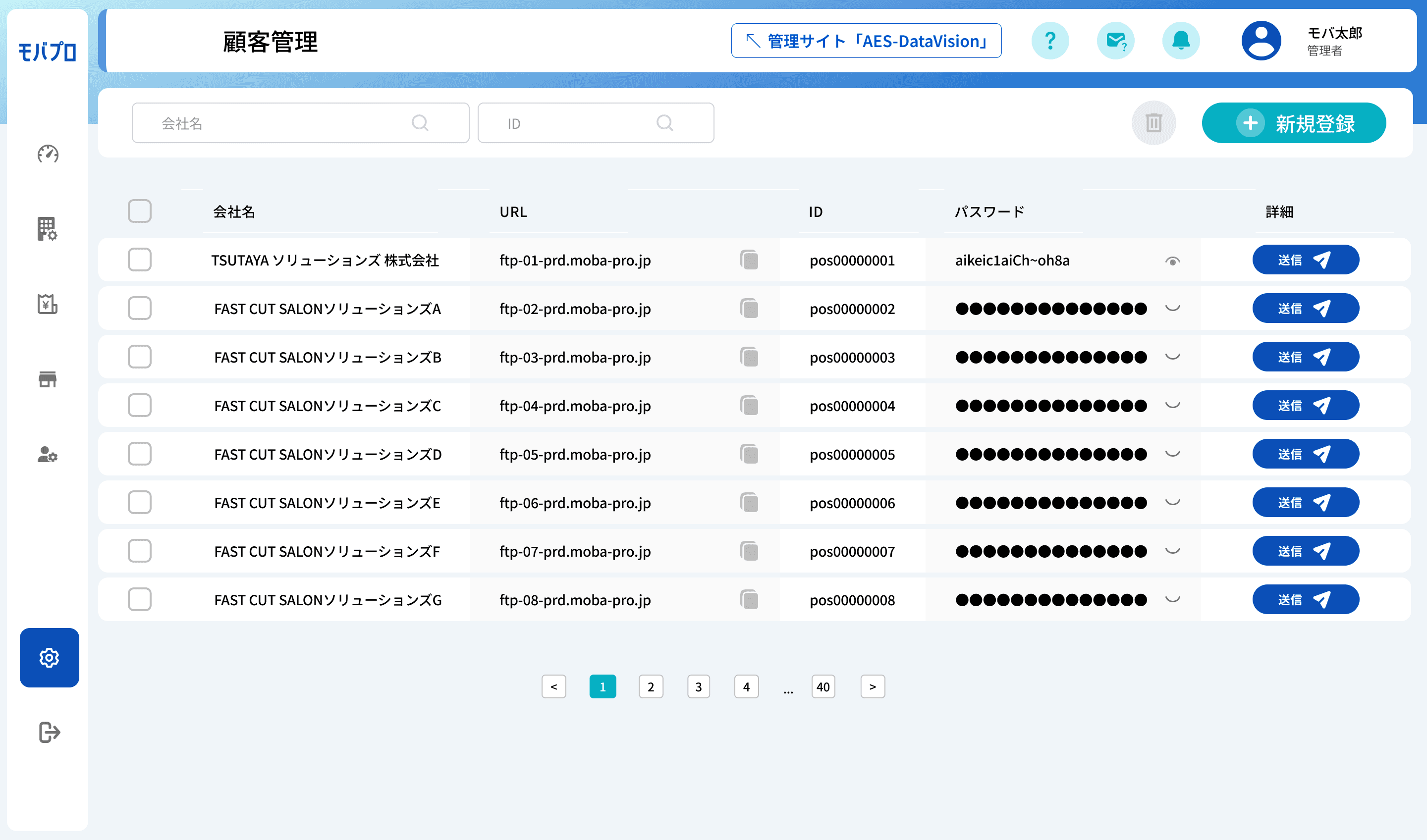
Machine Integration Setup
At a glance
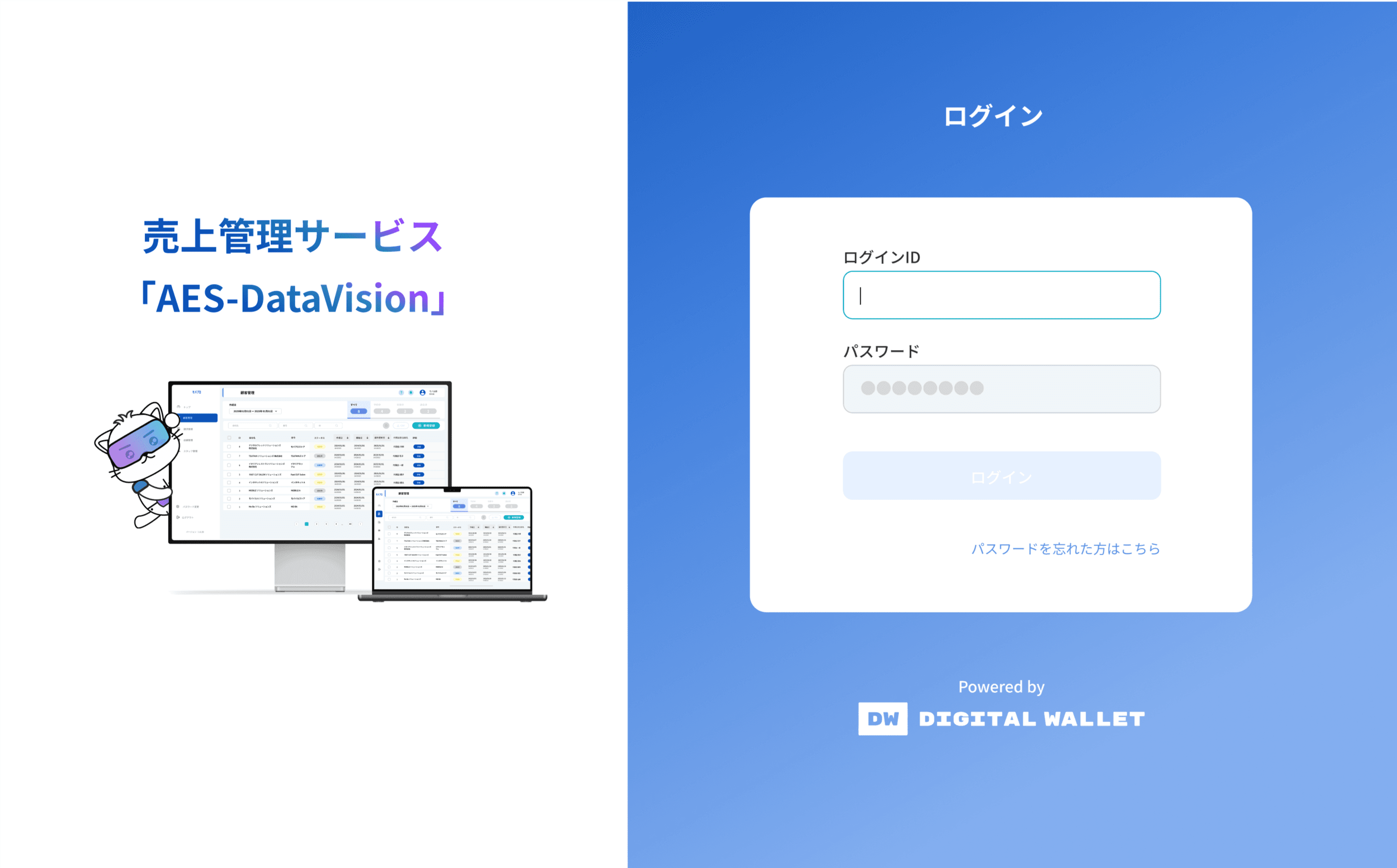
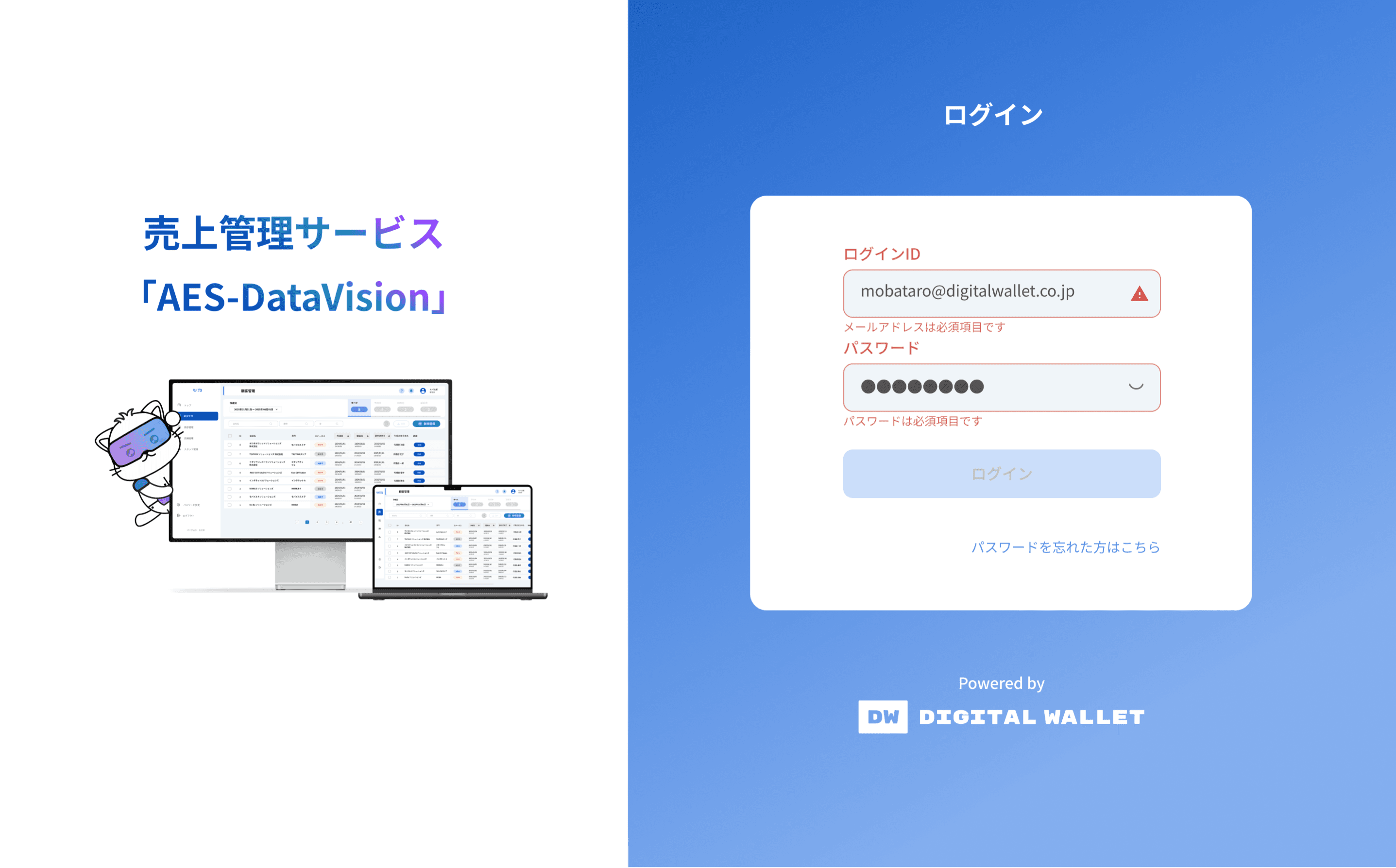
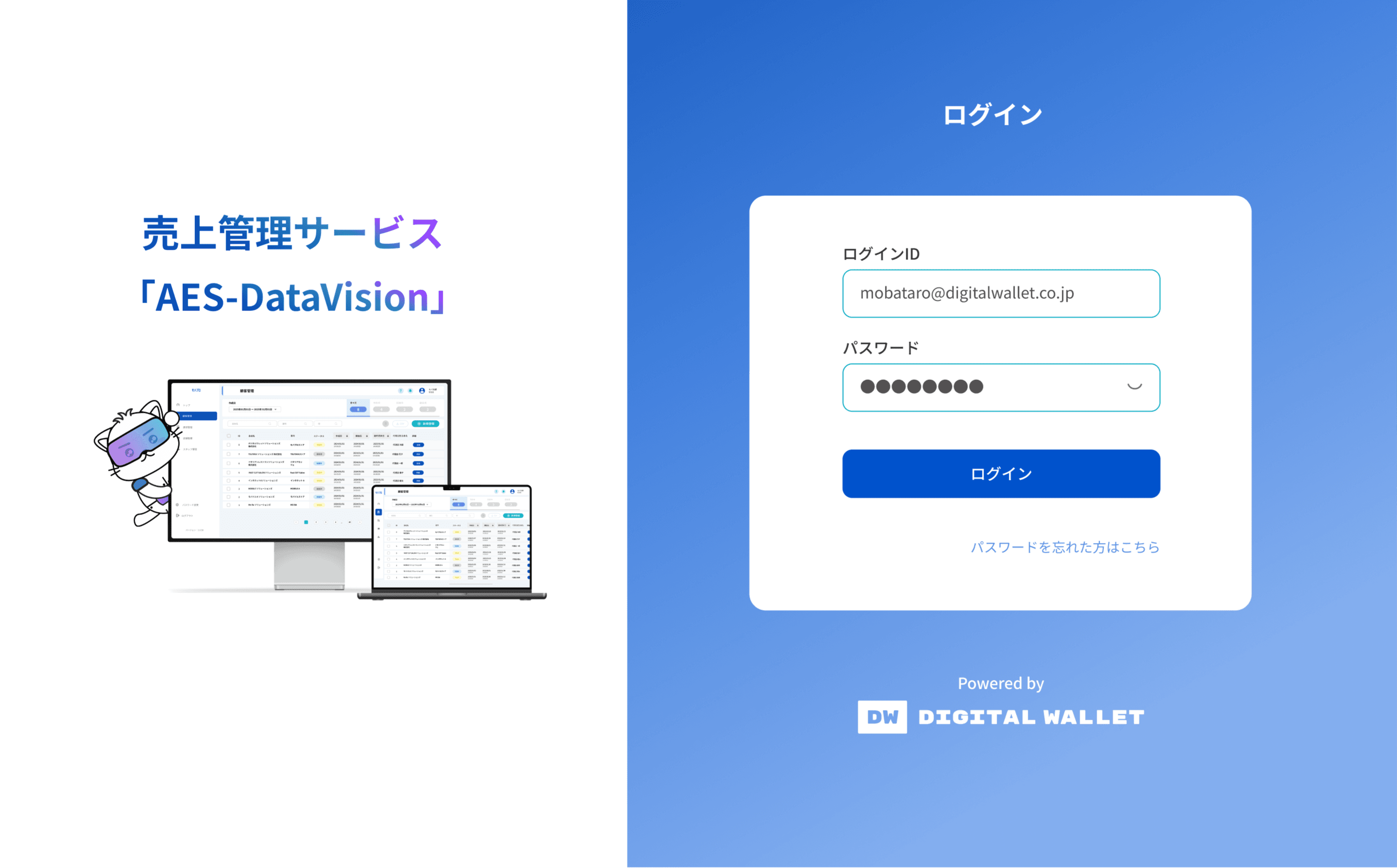
Log in Page
Problem
As Mobapro expanded to support diverse merchants and store environments, it became increasingly clear that a unified operational system was needed. Merchants faced challenges in managing multiple stores, assigning staff access, and configuring on-site devices—often with limited technical support. The absence of a centralized platform led to operational inefficiencies, inconsistent user experiences, and onboarding friction. Furthermore, store staff with varying digital literacy levels required a system that was both powerful and easy to use. Balancing scalability, usability, and clarity became essential for sustainable service growth.
Goals
The goal of this UX design project was to create a centralized, intuitive back office system that empowers administrators to efficiently manage merchants, stores, staff, billing, and system settings. The design aimed to simplify complex workflows, ensure scalability, and provide clear navigation through a dashboard-centric layout. By focusing on usability and accessibility, the back office supports seamless setup, secure access control, and smooth daily operations for Mobapro’s growing platform.
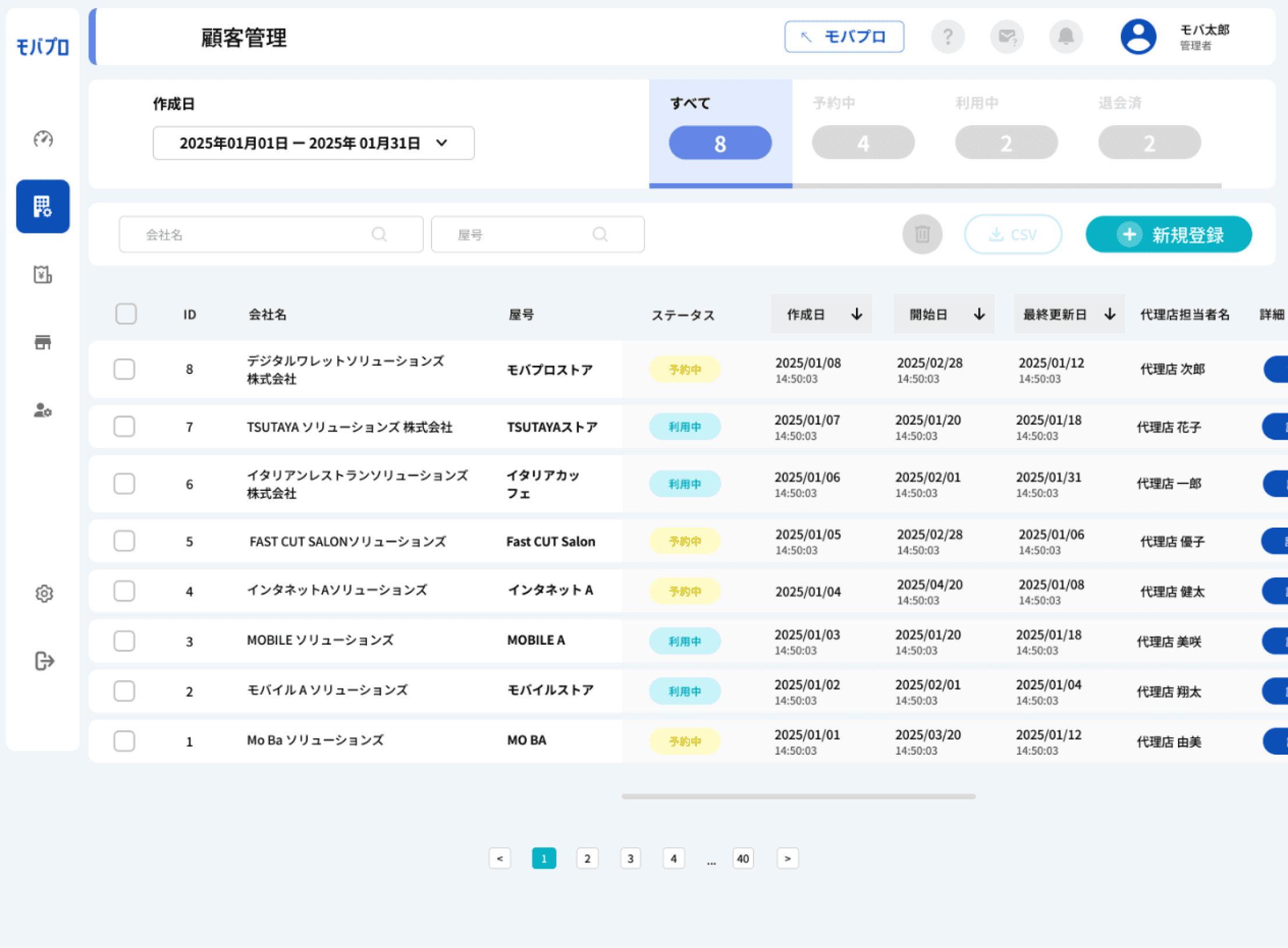
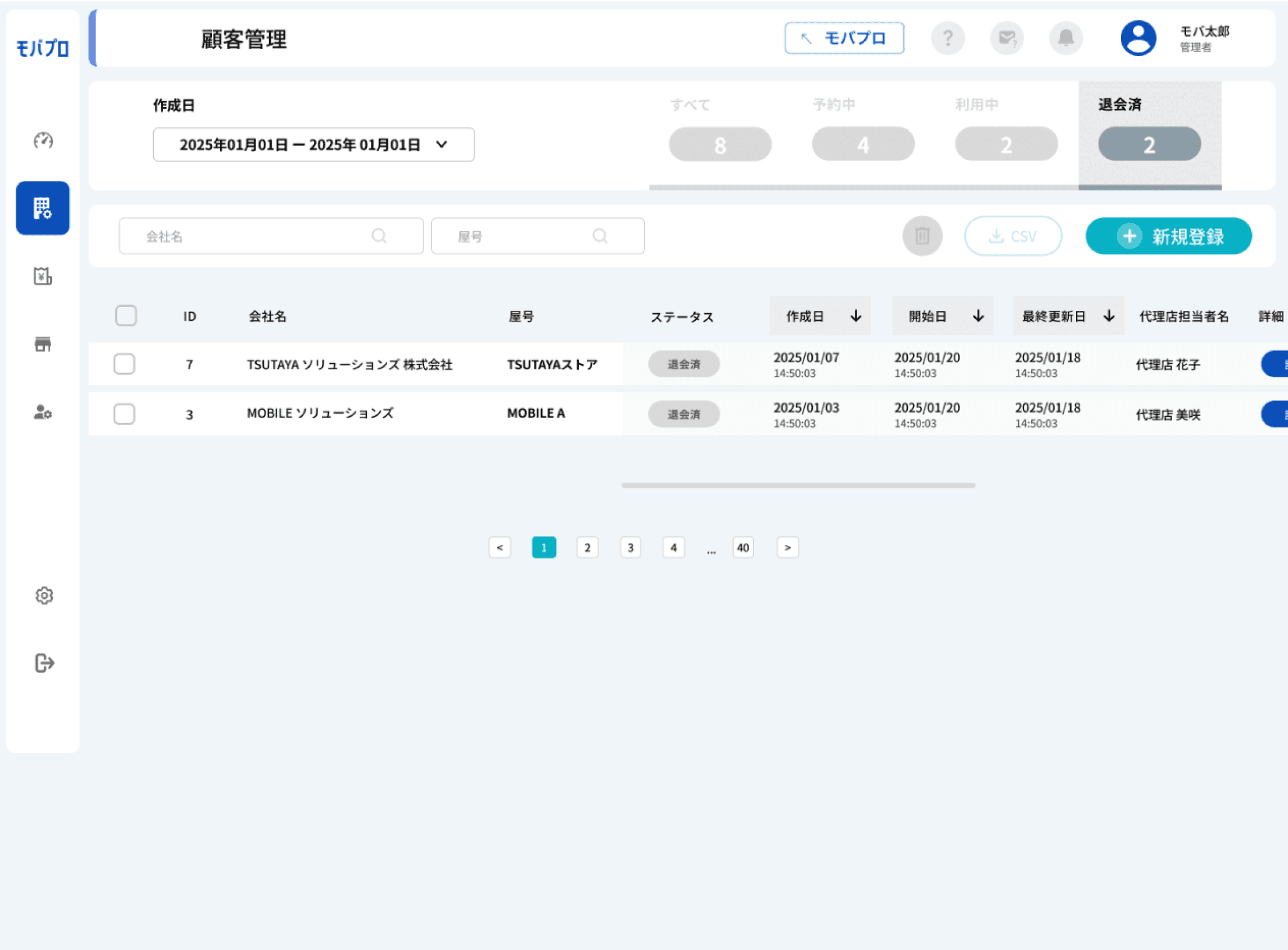
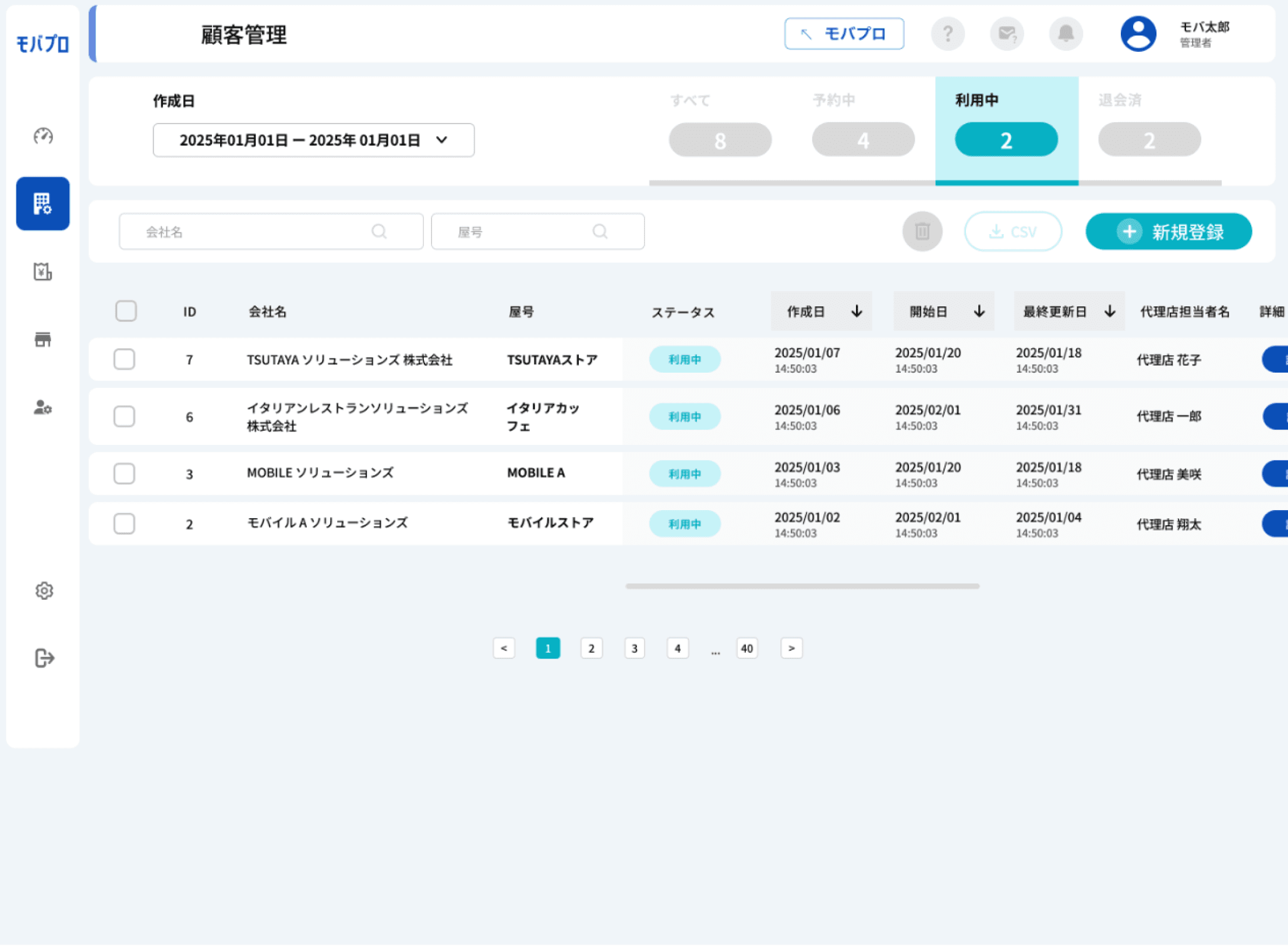
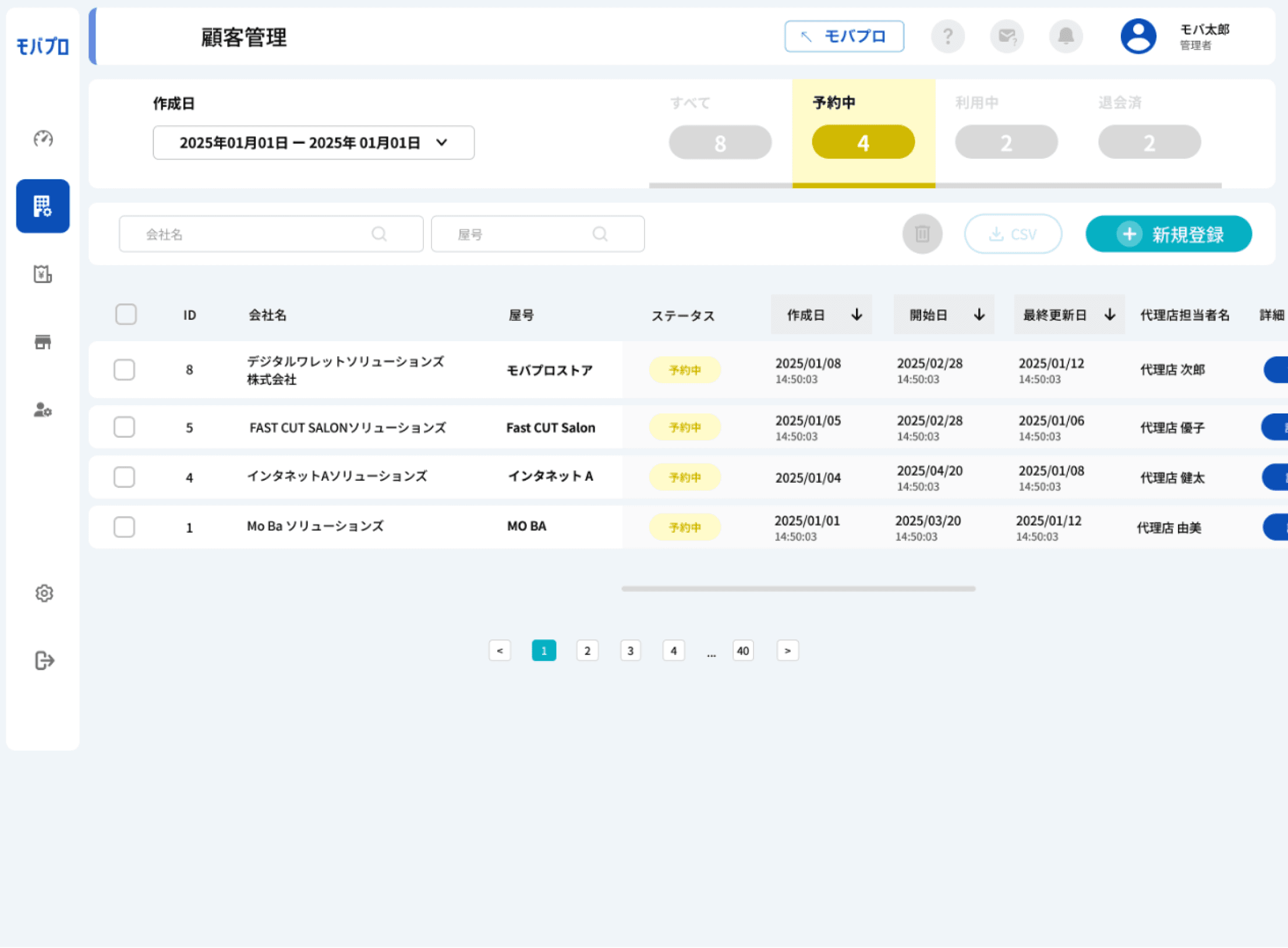
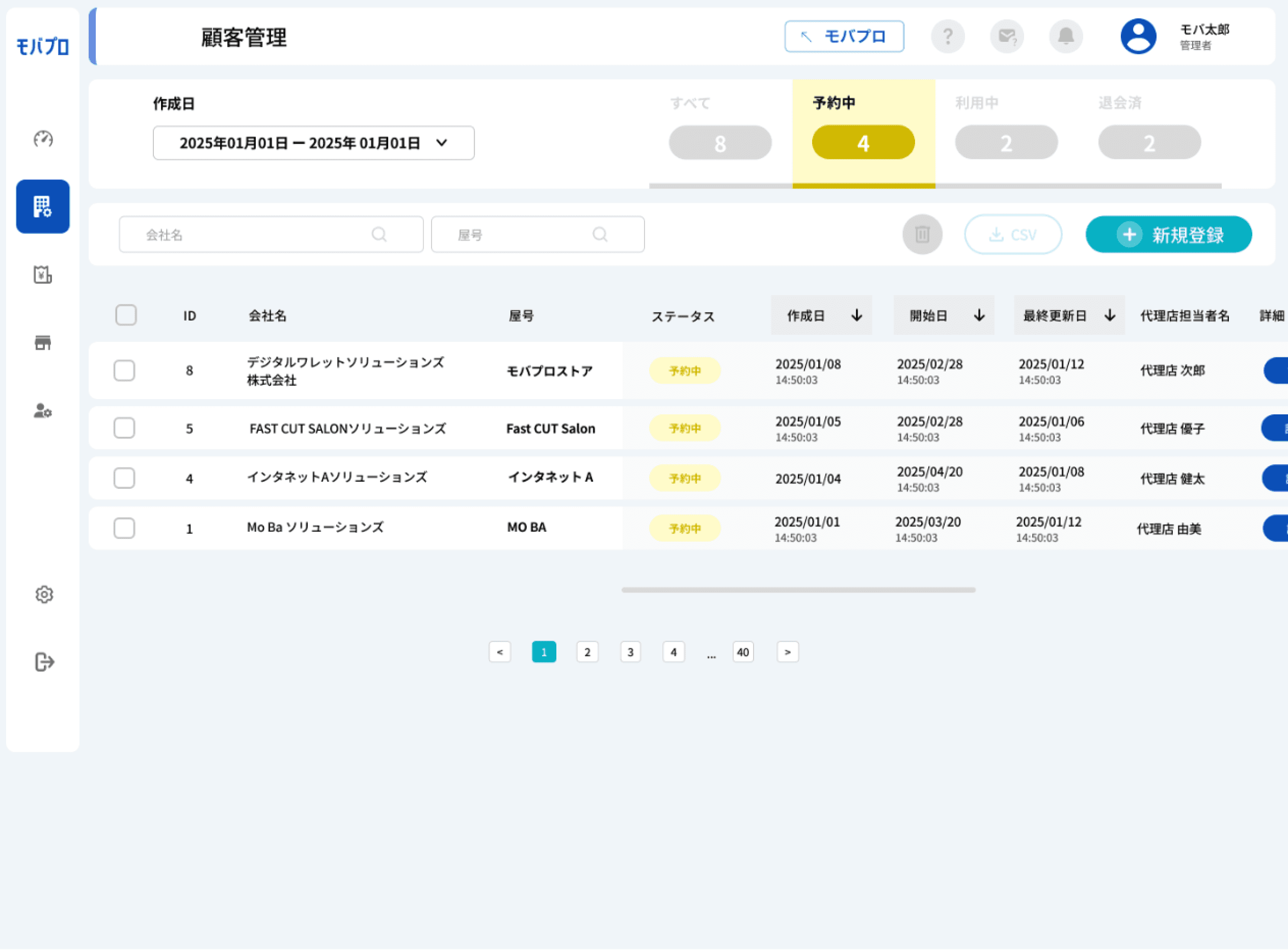
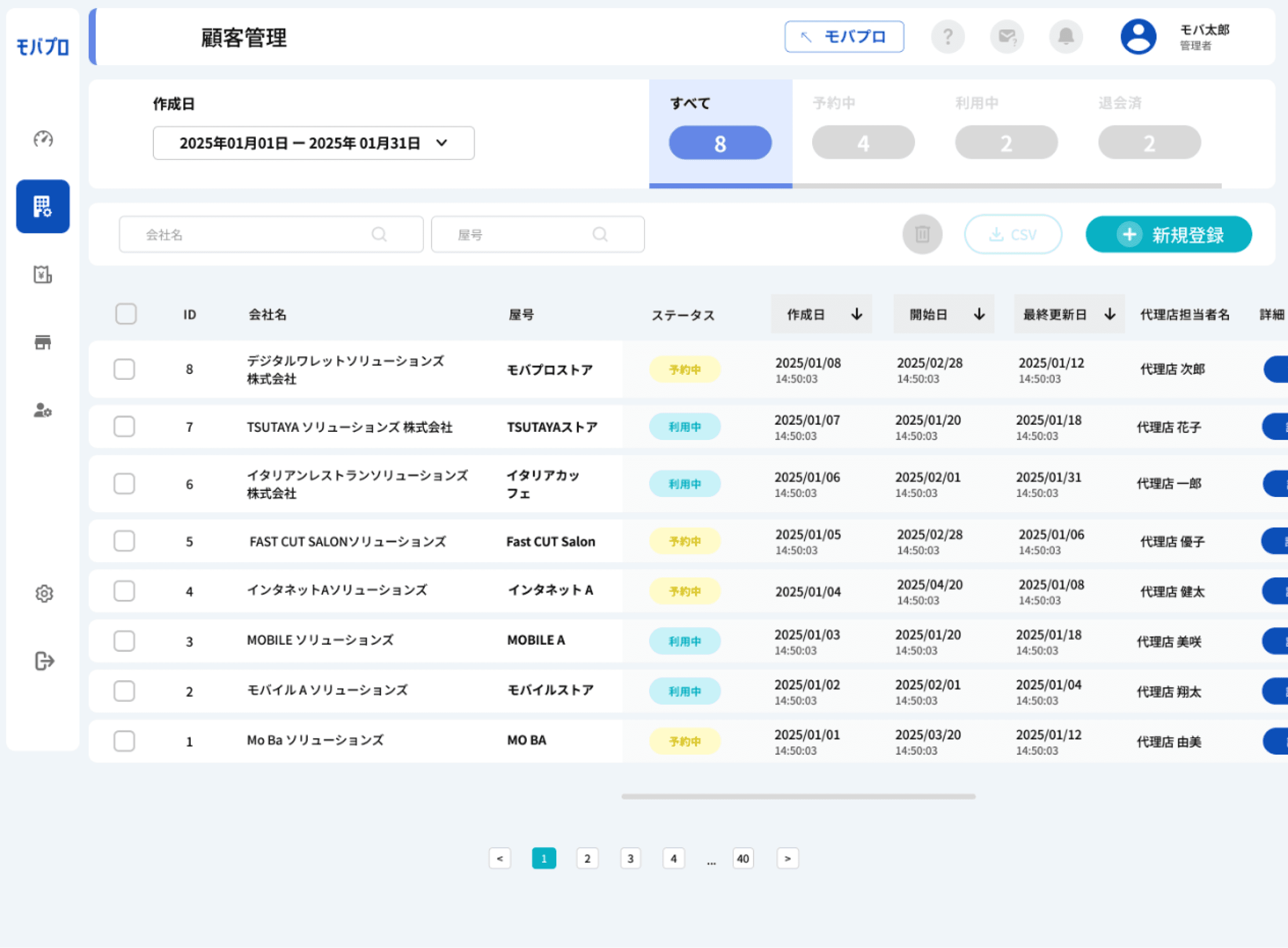
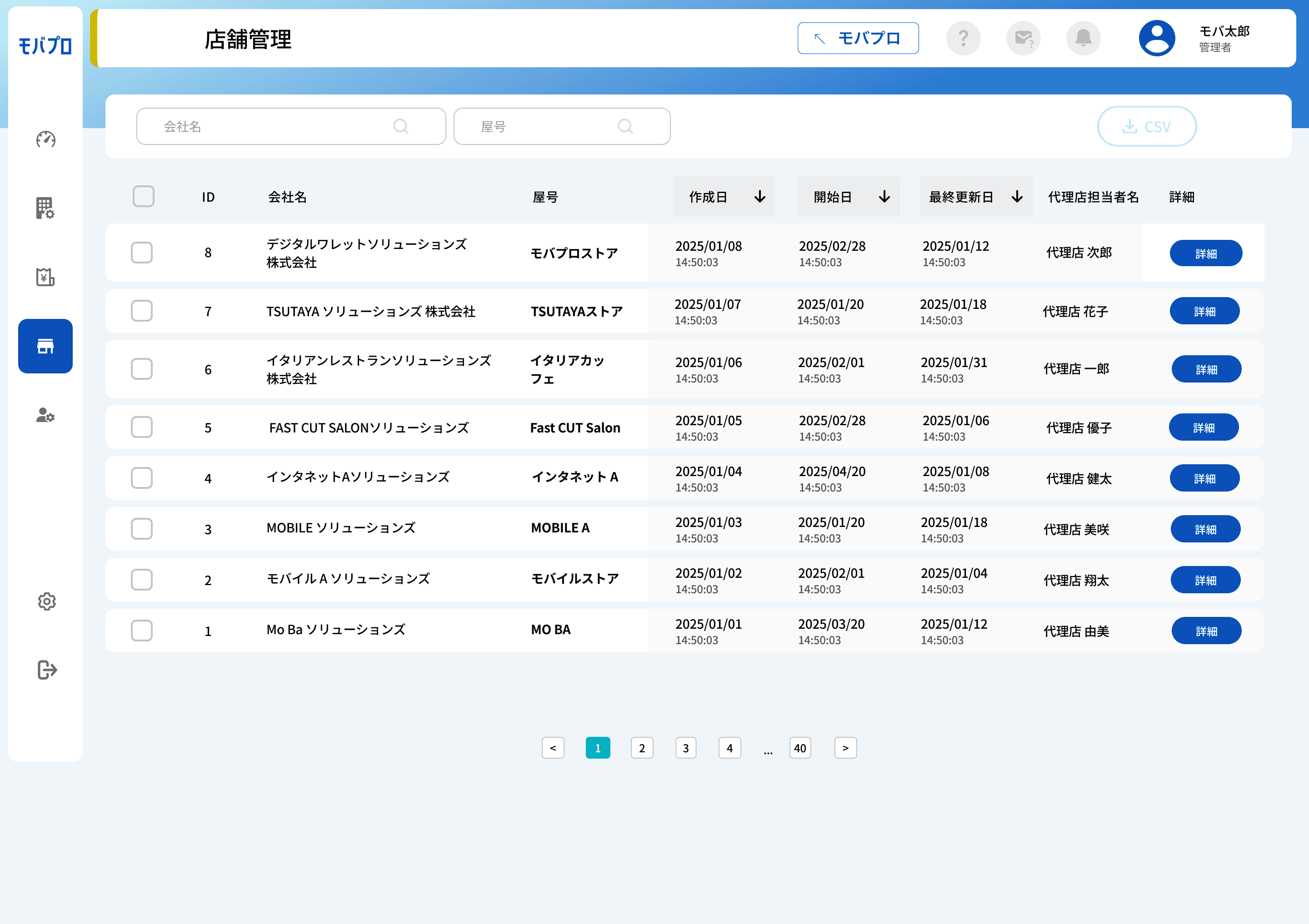
This page provides a comprehensive overview of all registered merchants, clearly displaying their status (active or inactive). Users can easily search and filter merchants by store name, status, or registration date using intuitive filter controls. The interface also supports key actions such as viewing detailed merchant profiles, editing information, and deleting entries
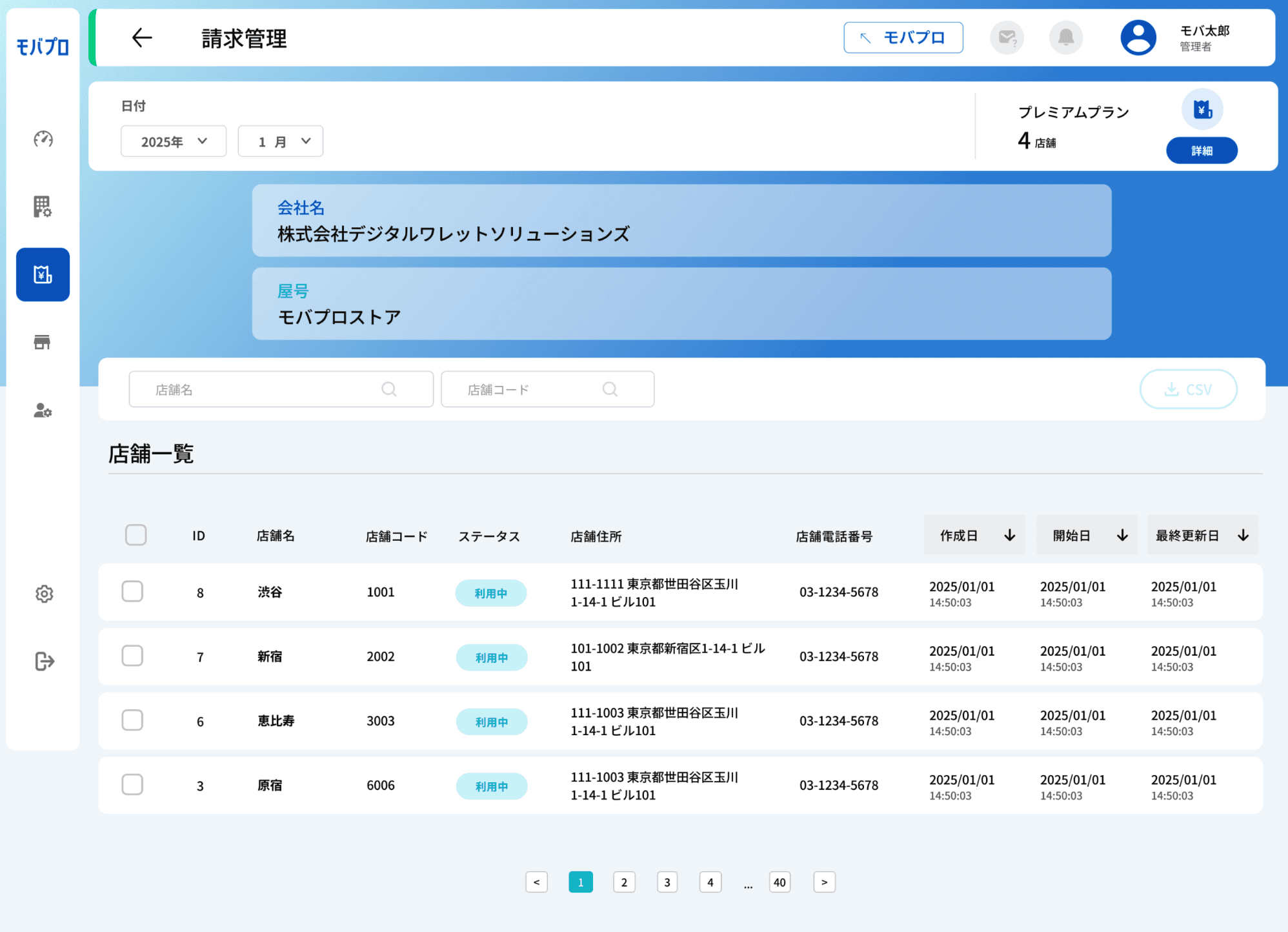
Billing Page
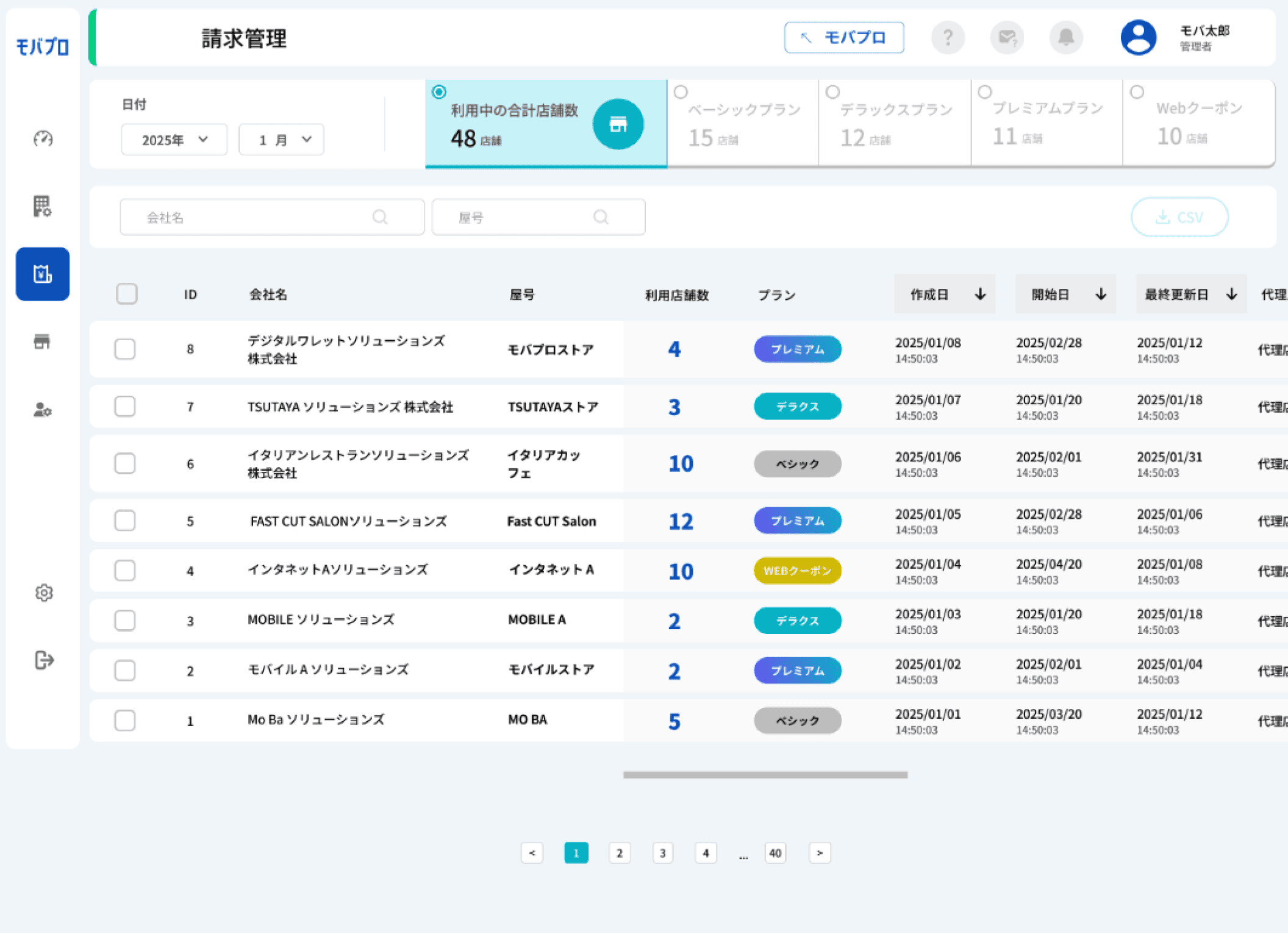
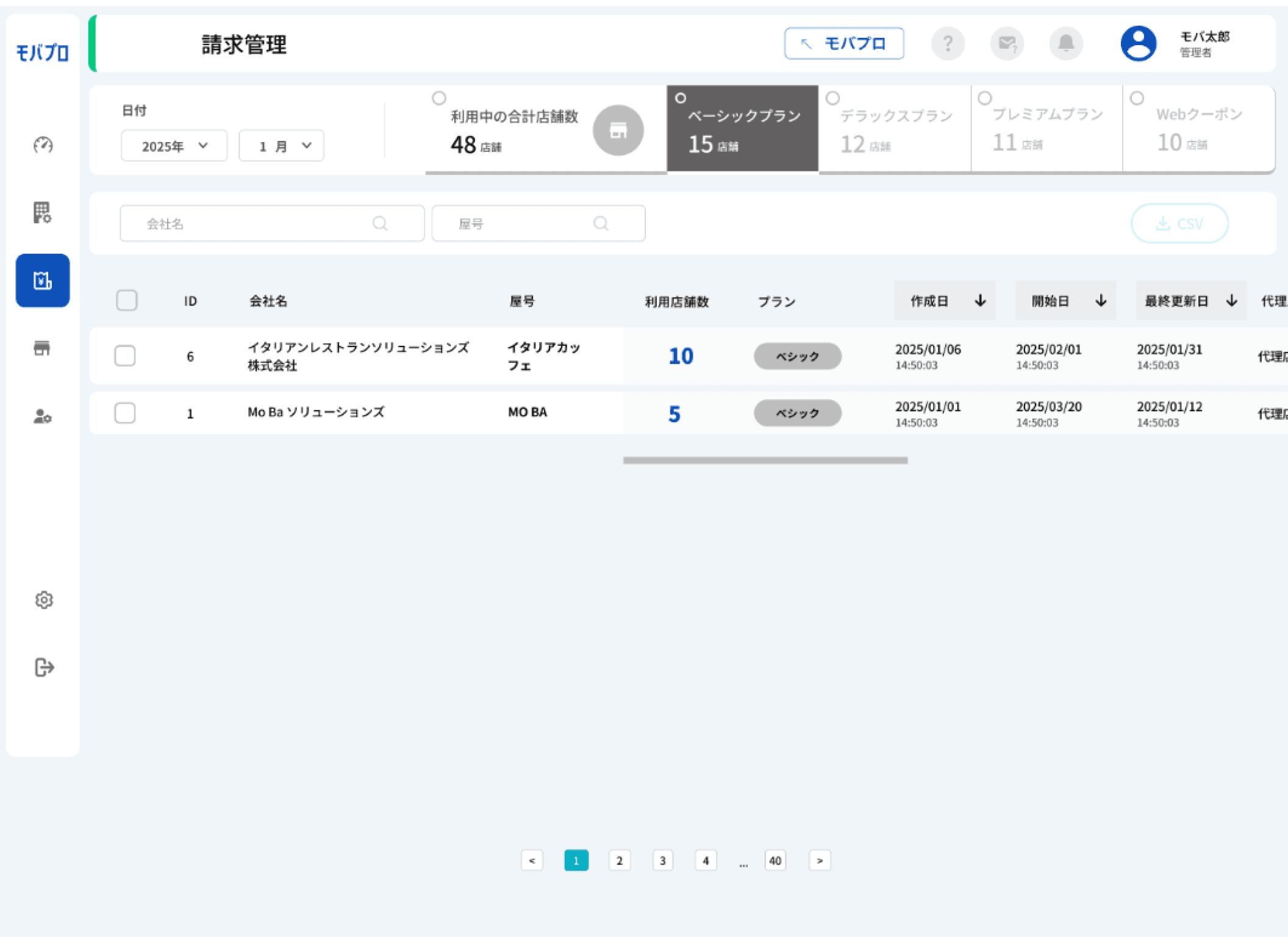
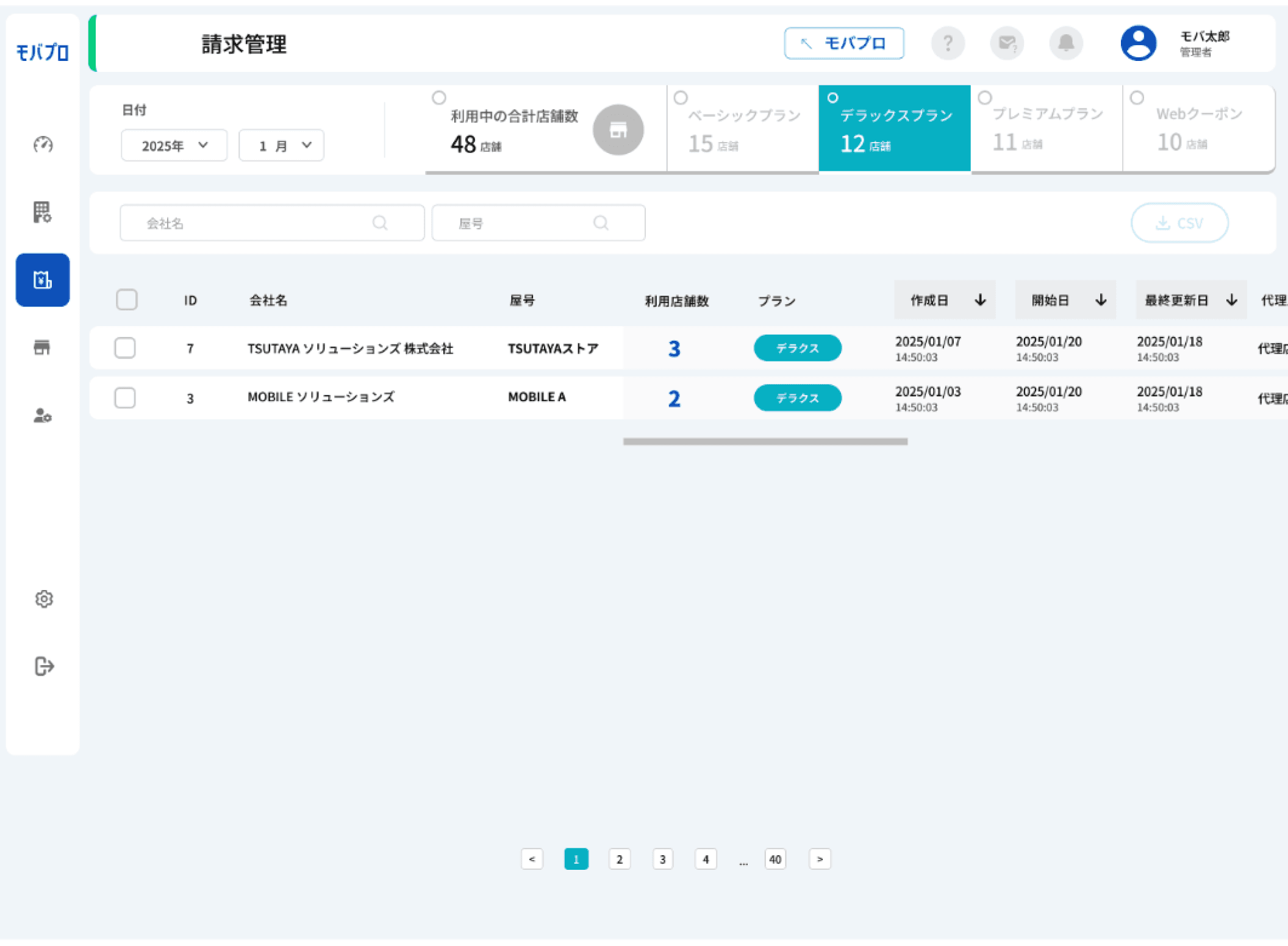
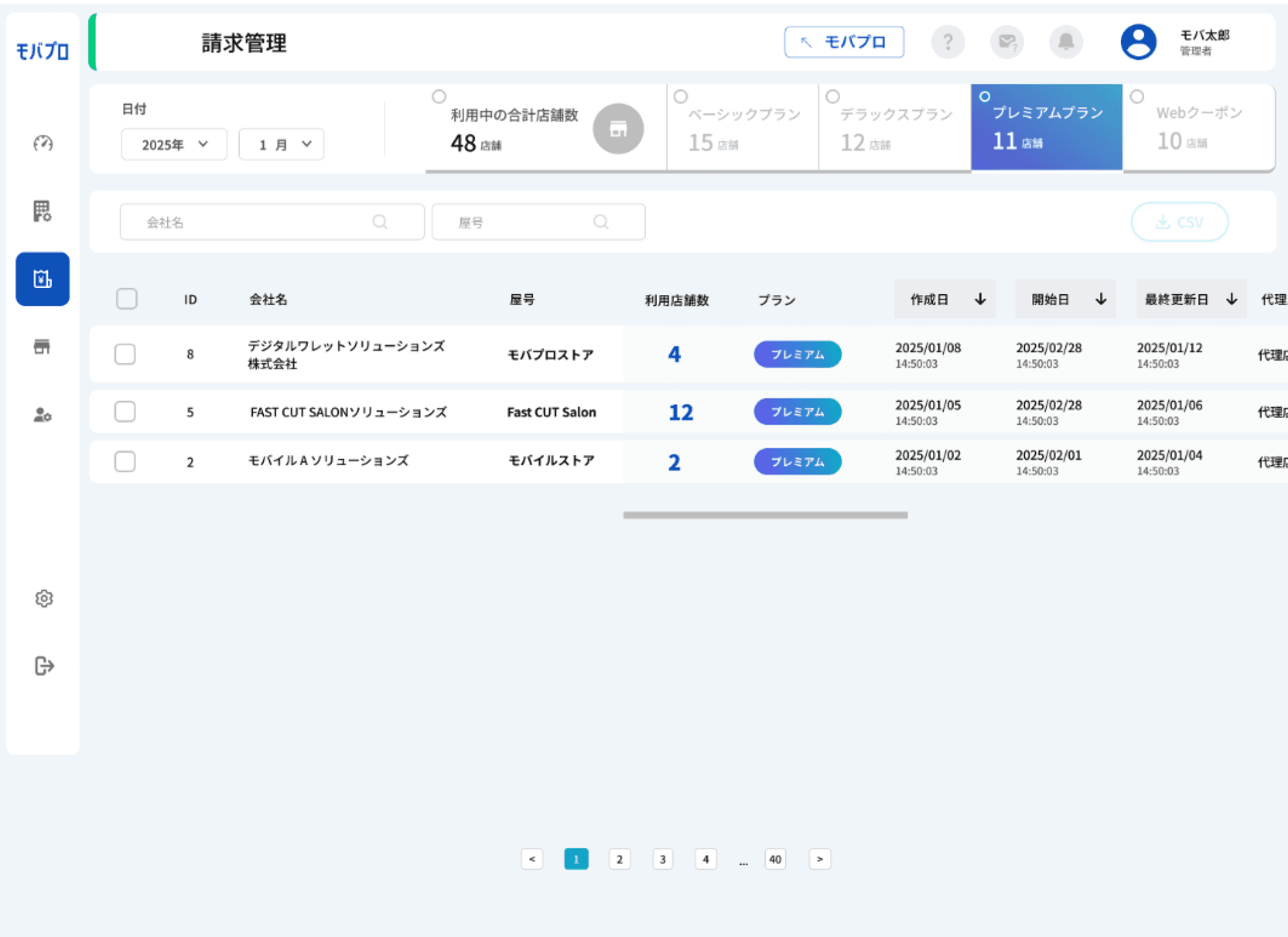
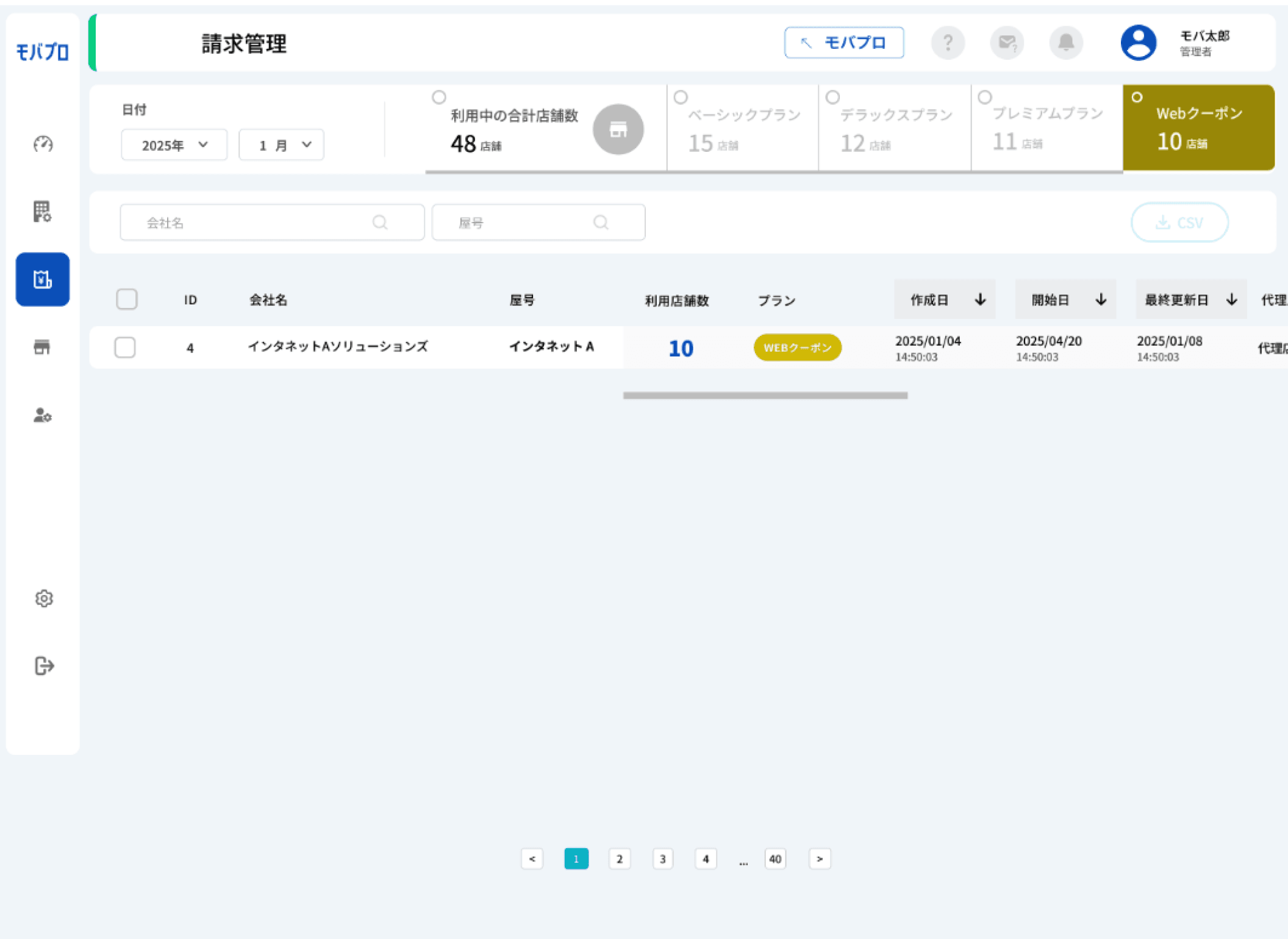
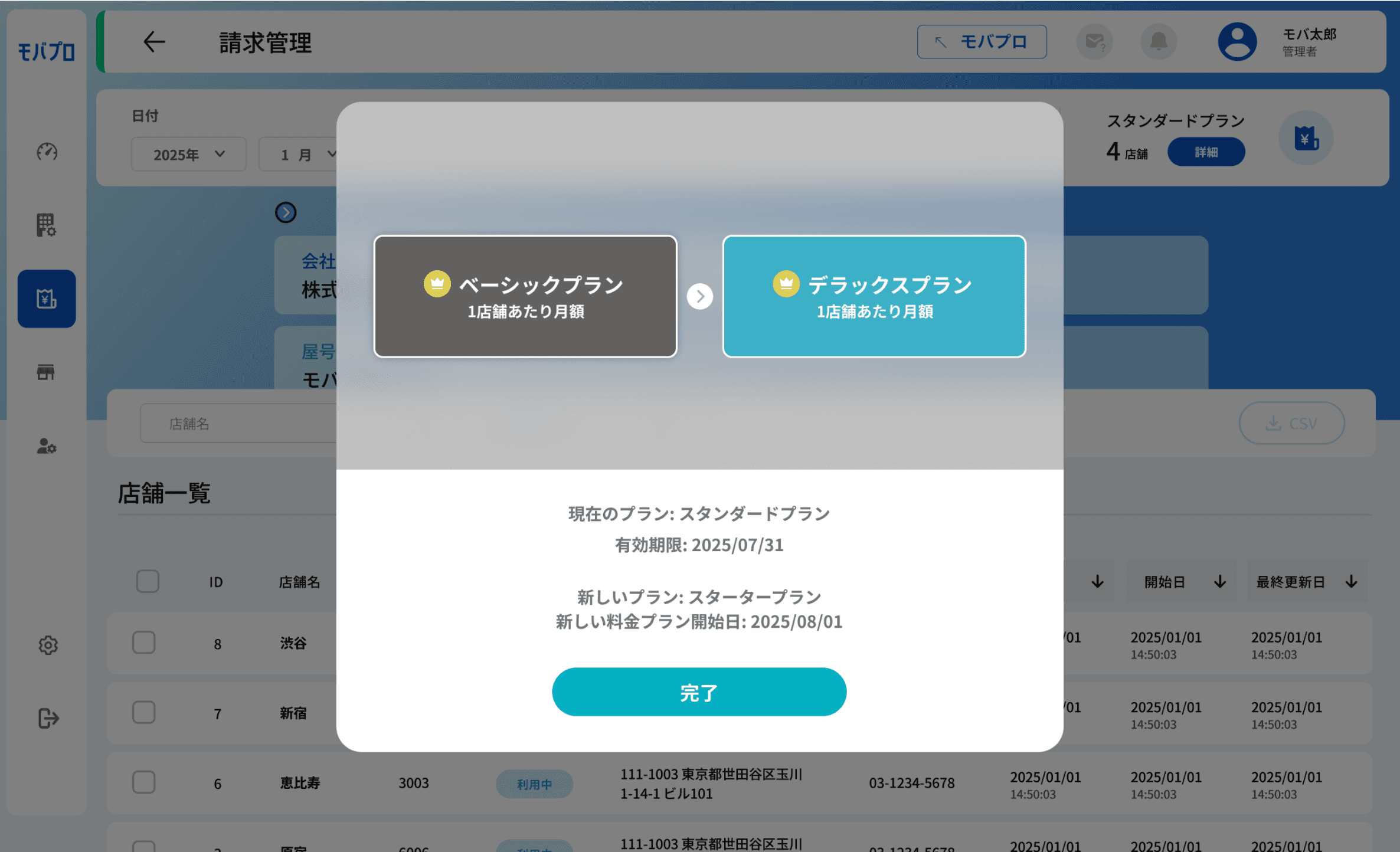
The Billing Payment Page is designed to help our members easily track the total billing amount owed by each partner. It also provides clear visibility into the status of their stores — whether they are currently active, inactive, or scheduled to be activated soon.
In addition to payment details, this page displays the current subscription plan and its usage, showing how many stores are in use under the plan. This gives partners a transparent view of both their billing and operational status in one convenient place.
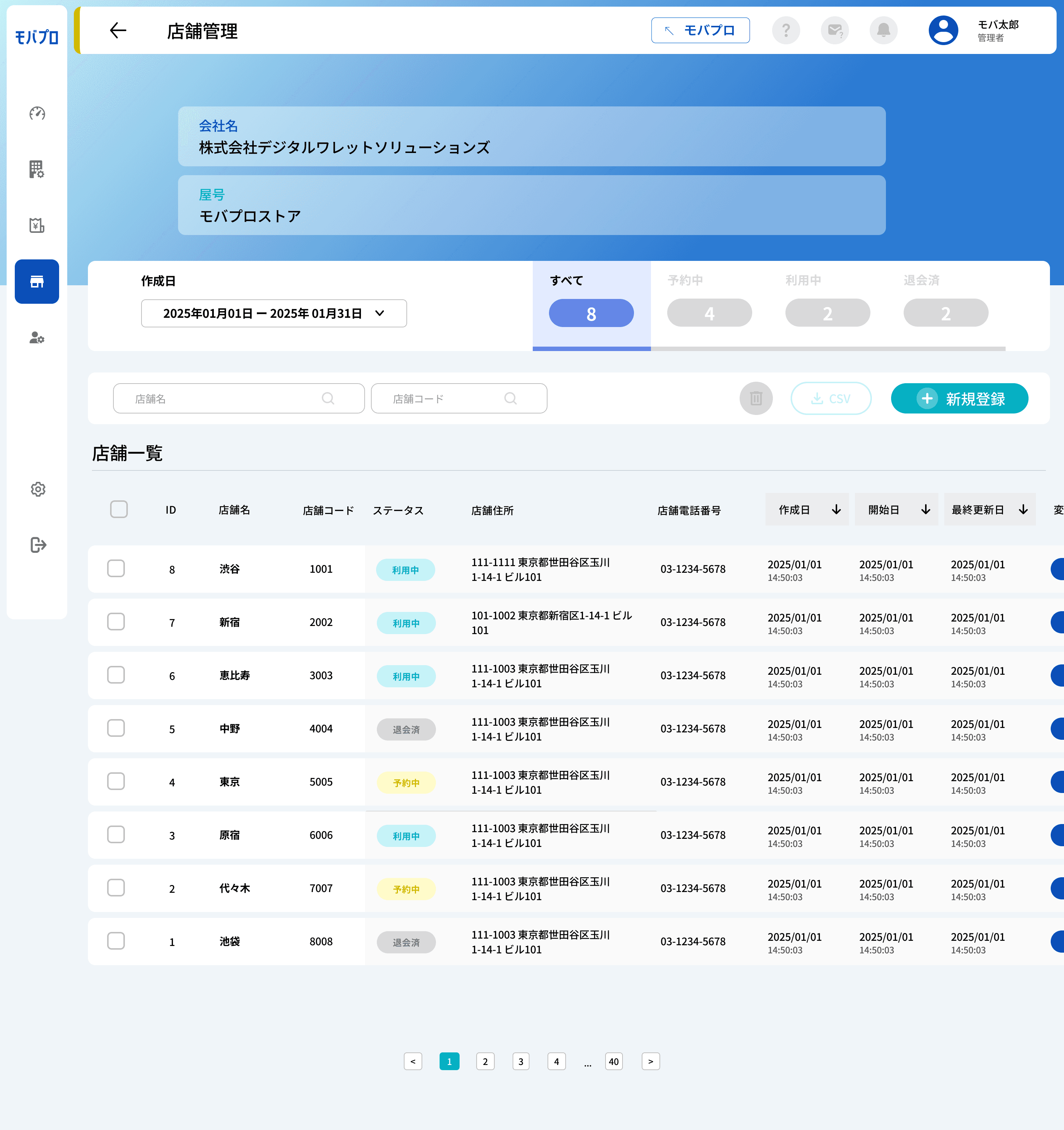
Register store
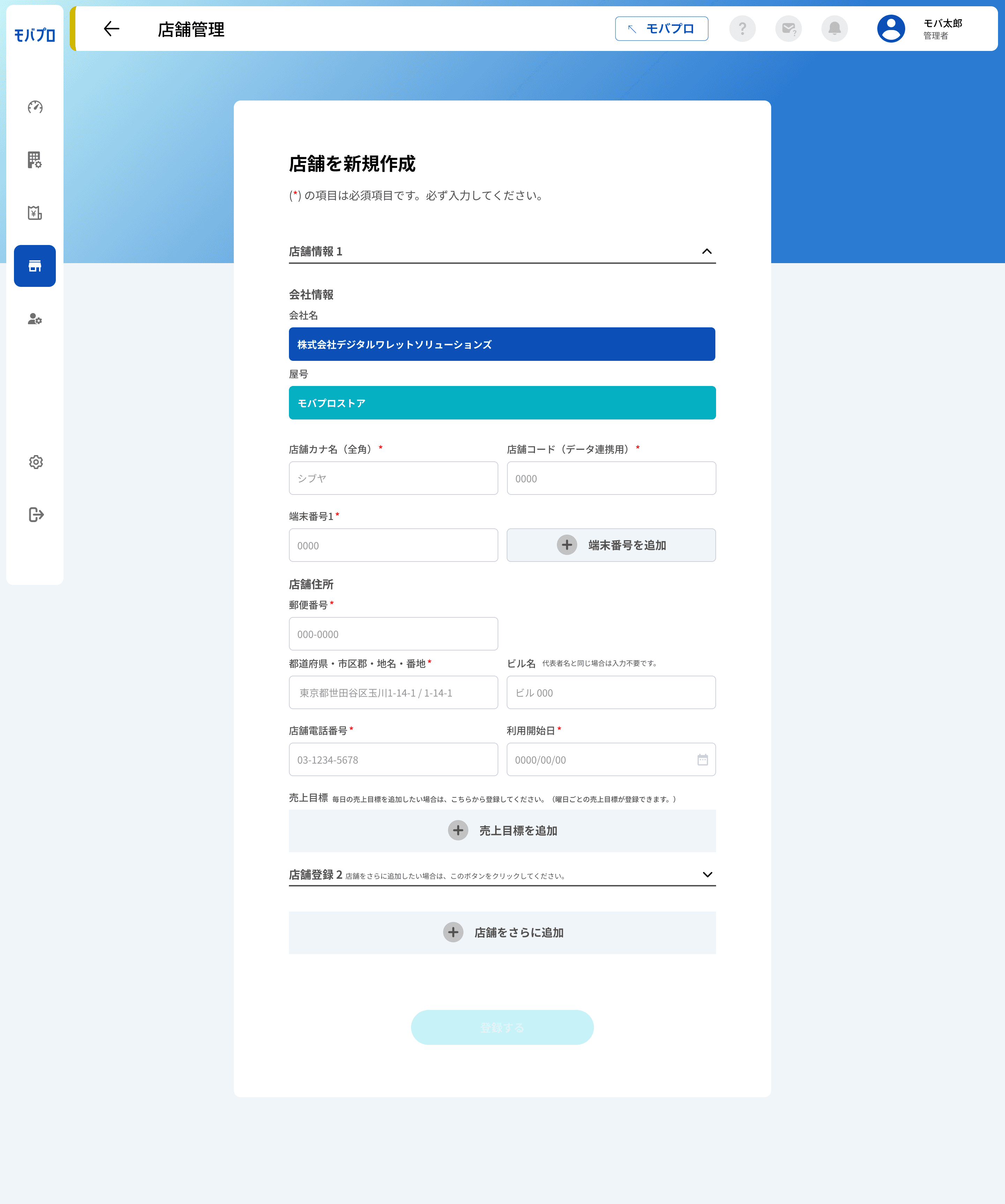
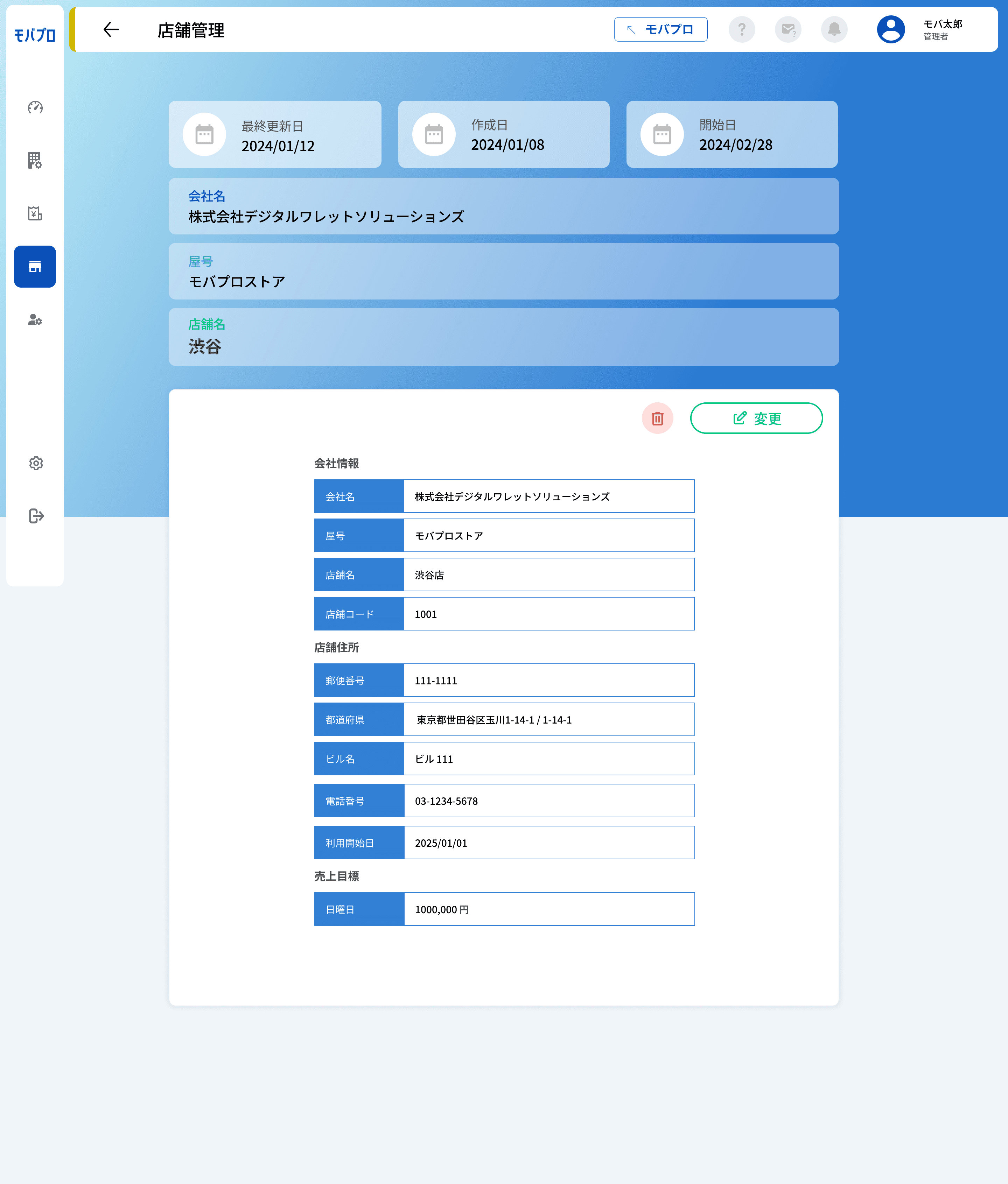
The Store Management Page provides a detailed view of all stores under a single merchant. It mirrors the core functionality of the Merchant Page, allowing users to view a complete list of stores along with their status (active or inactive).
From this page, users can also register additional stores under the same merchant, making it easy to manage multiple store locations efficiently. This centralized layout helps streamline store-level administration while maintaining consistency with the overall merchant management system.
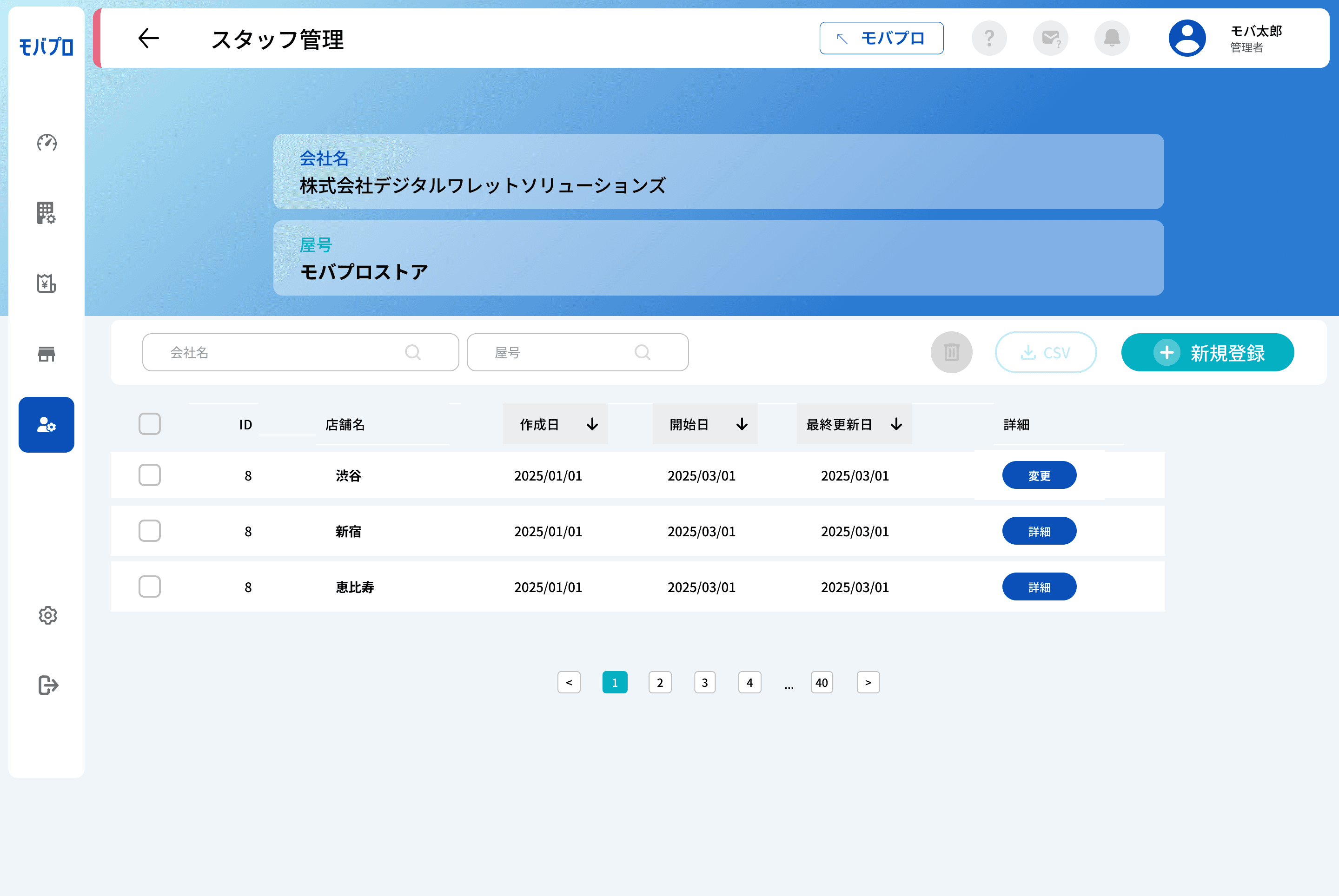
Staff page
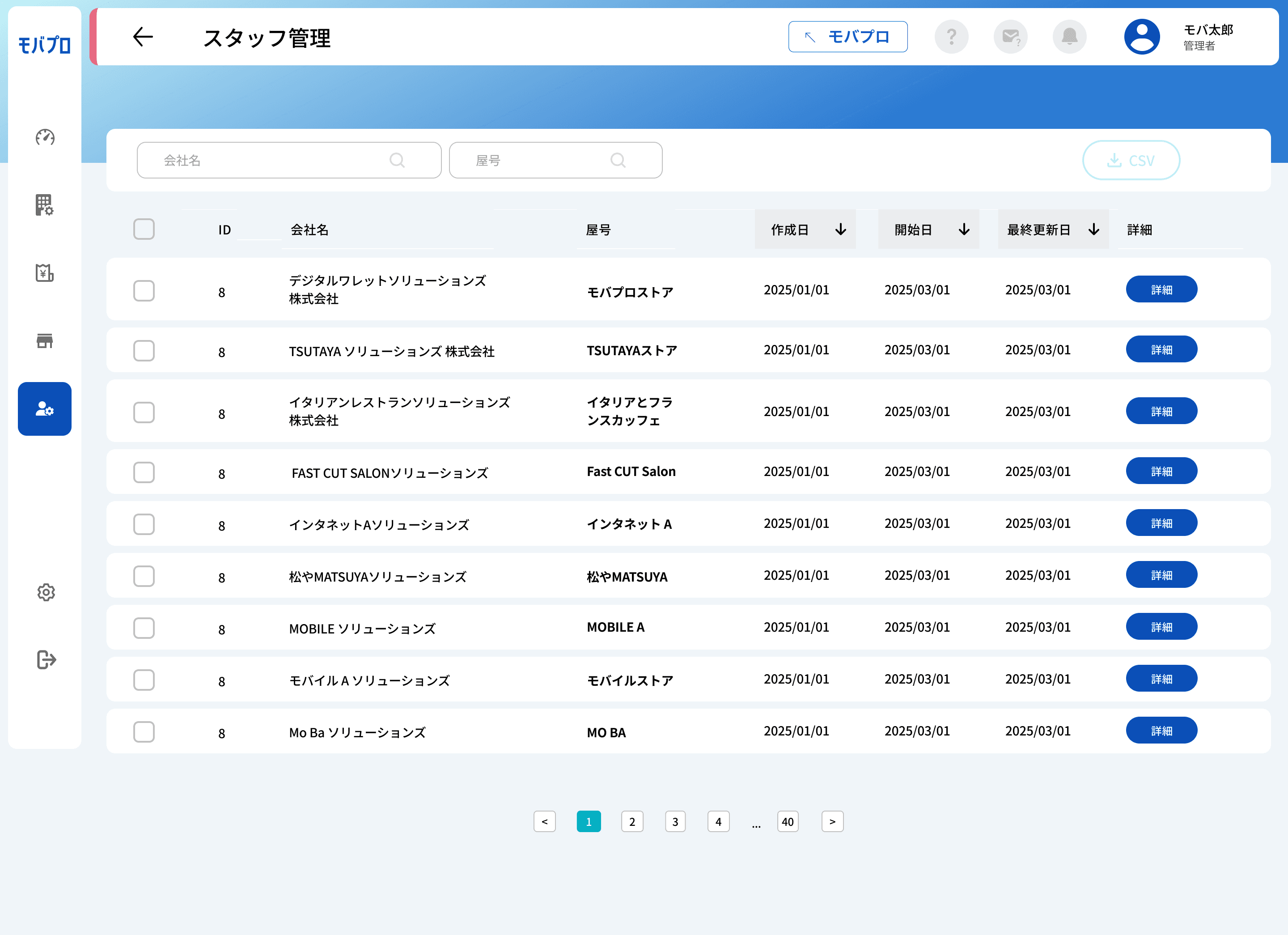
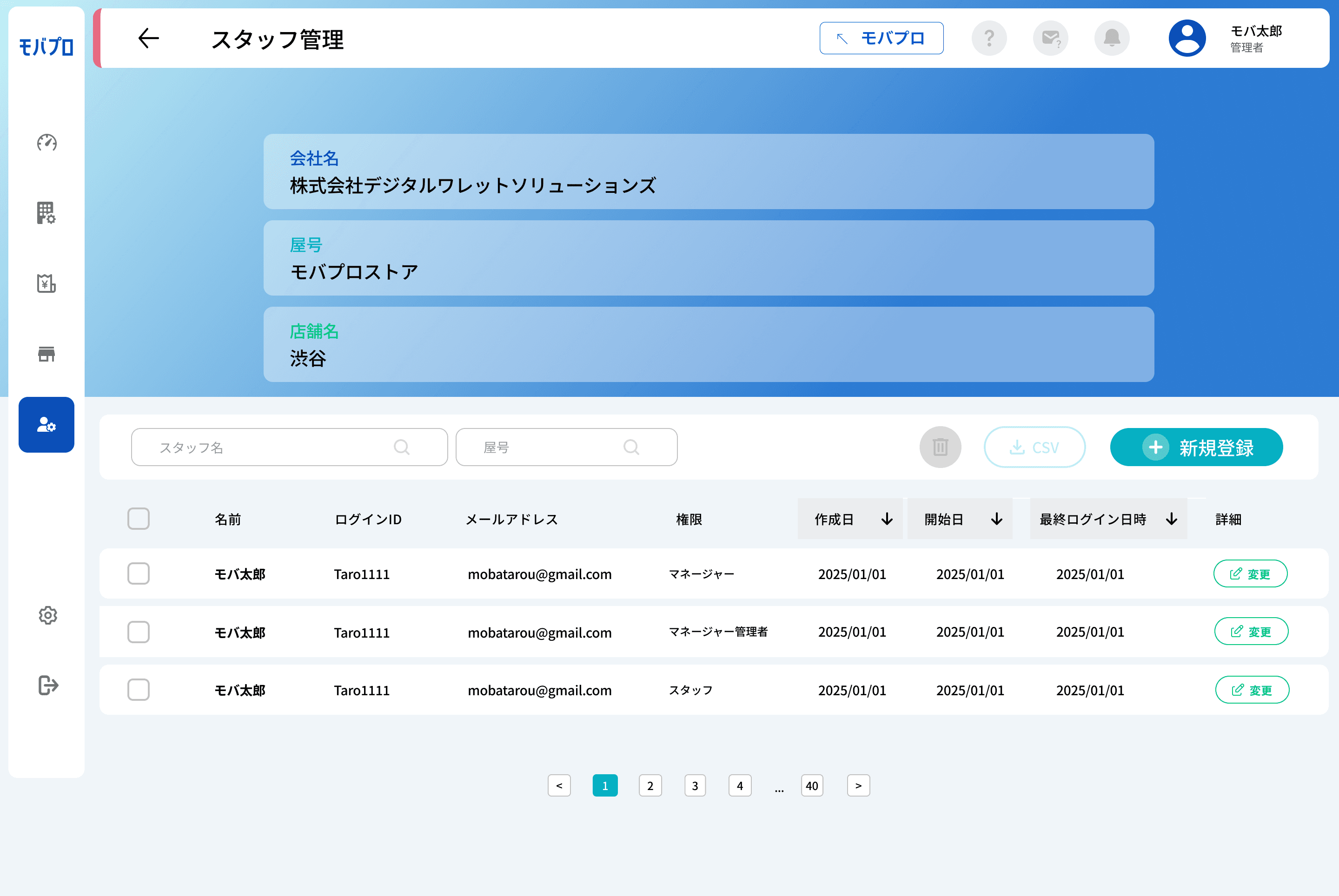
Staff page detail under merchant
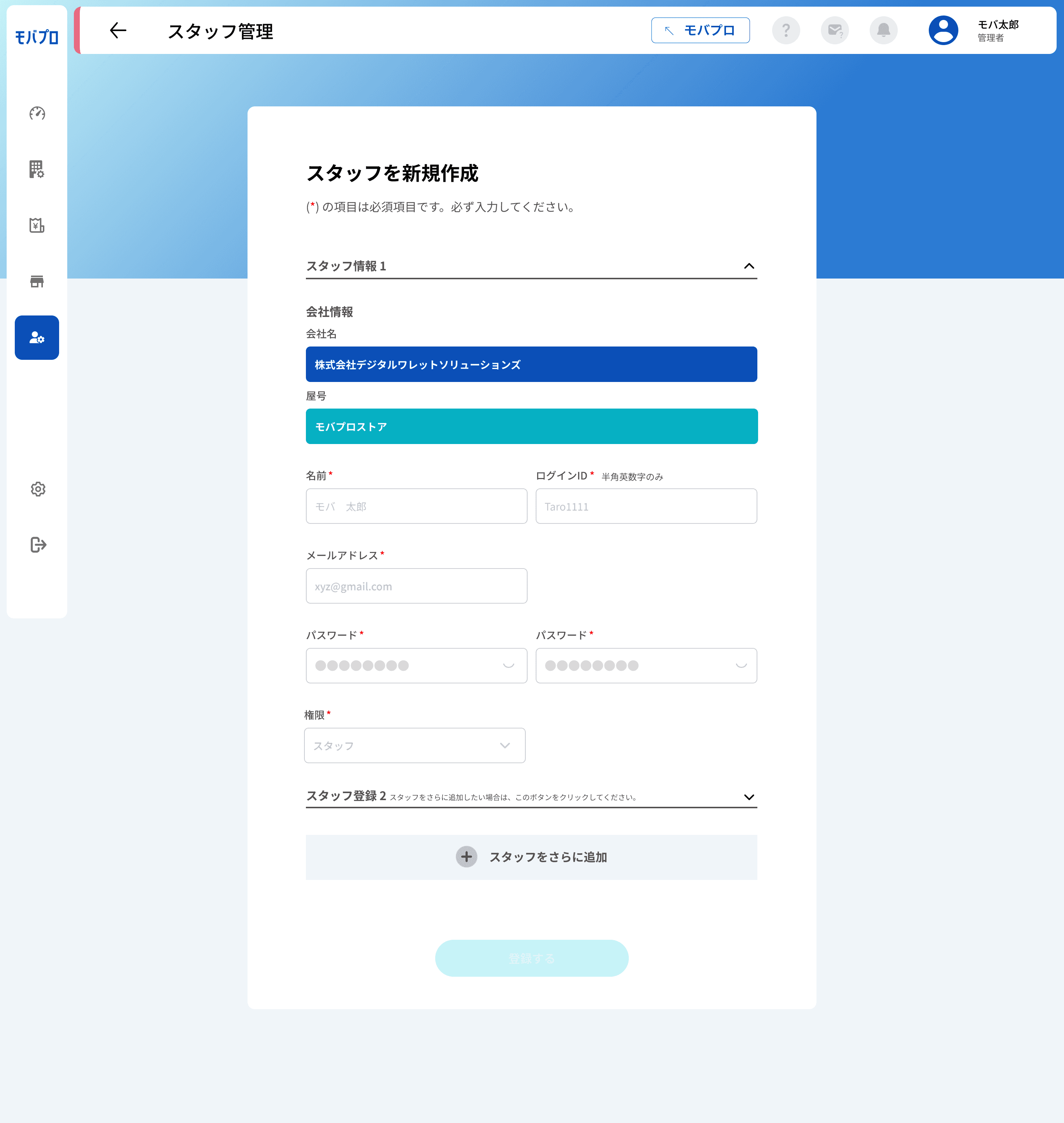
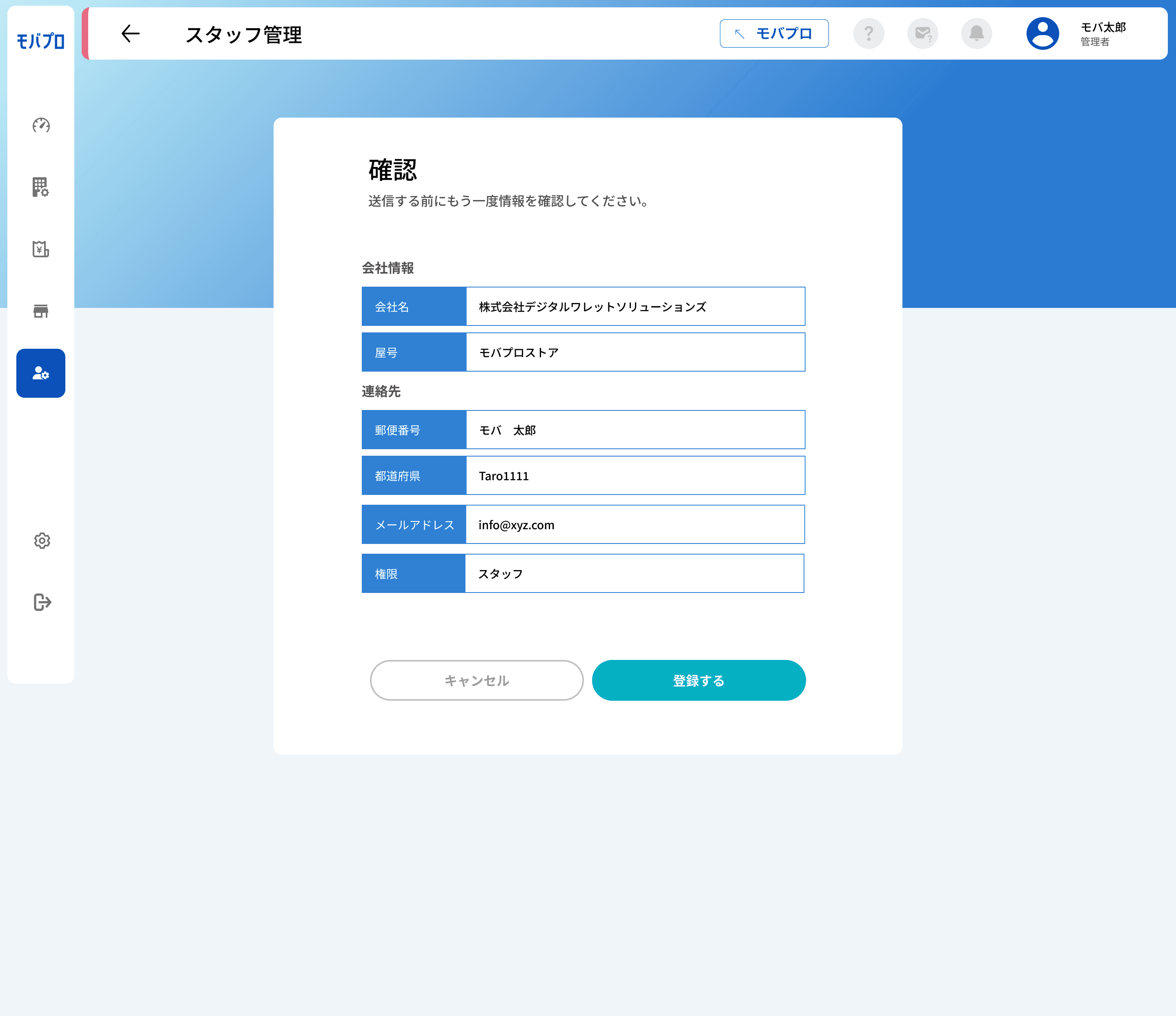
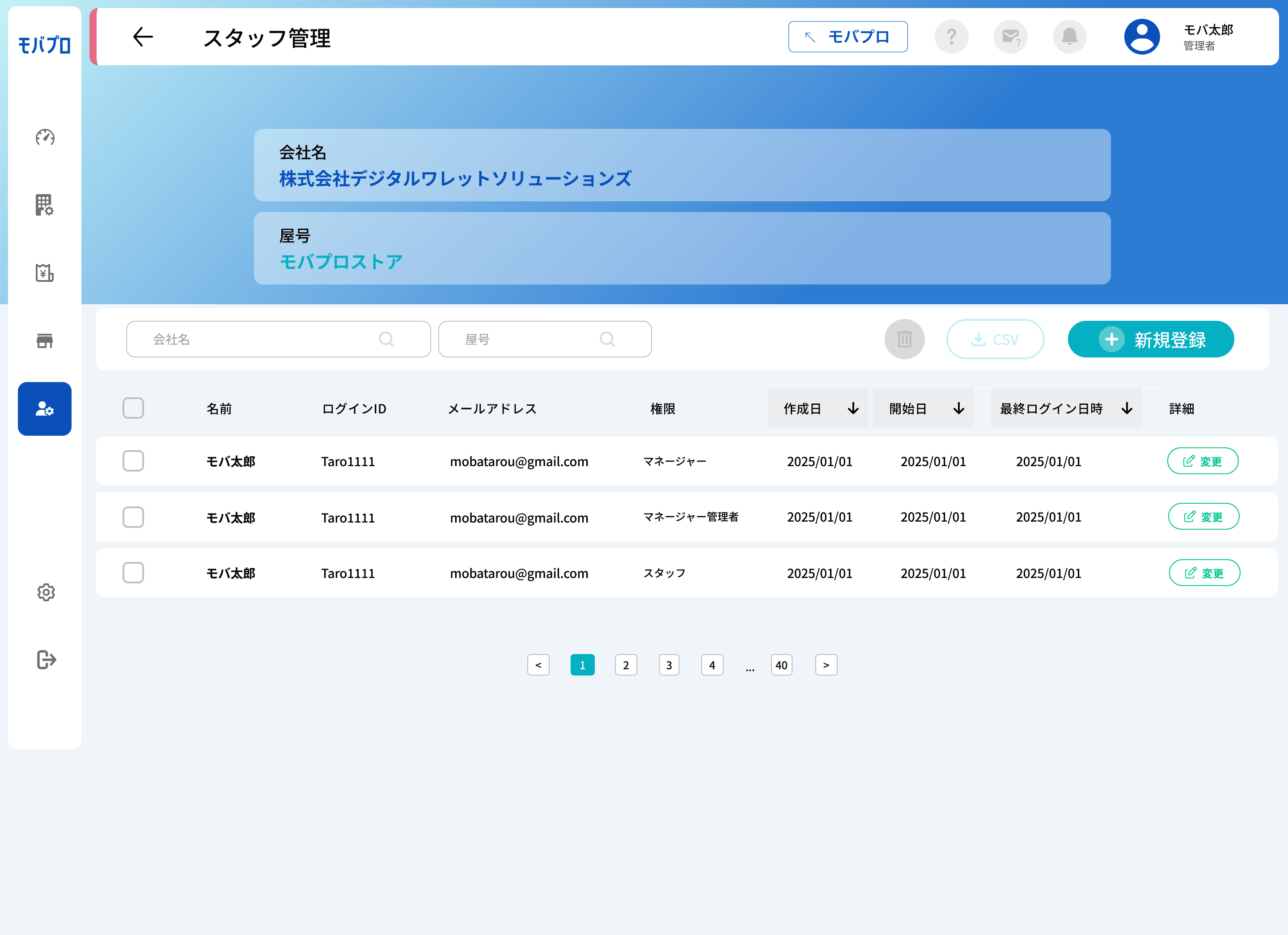
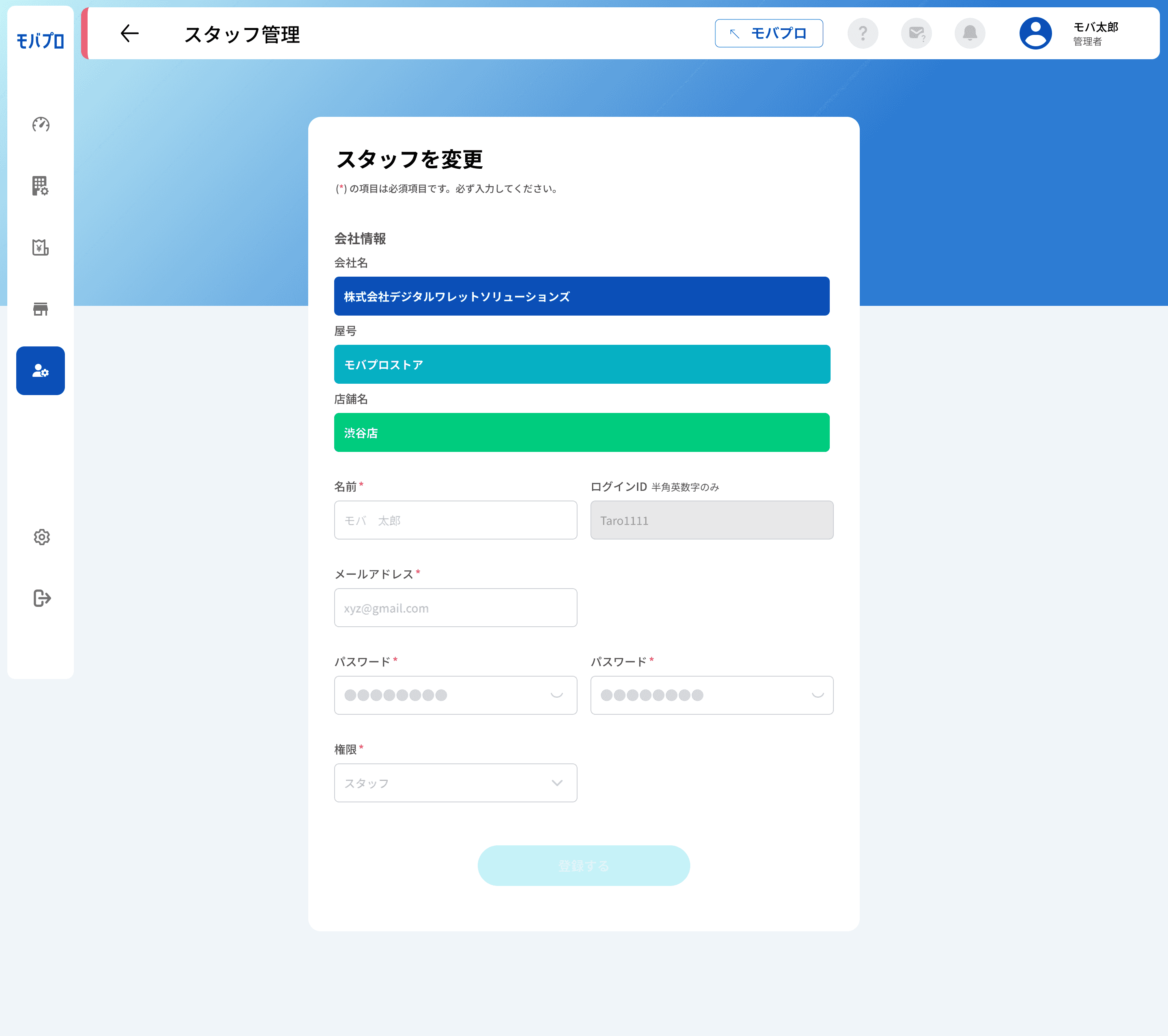
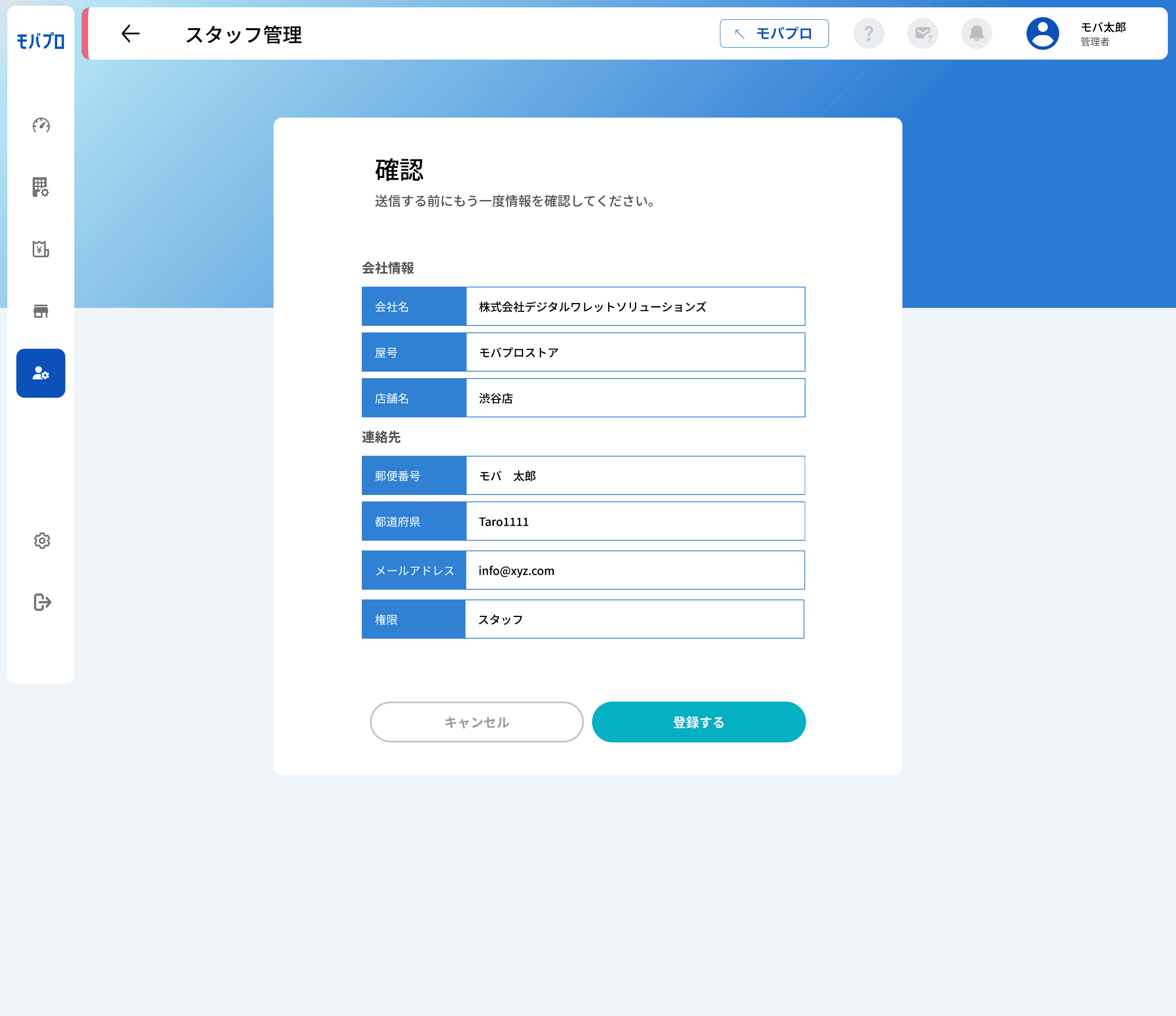
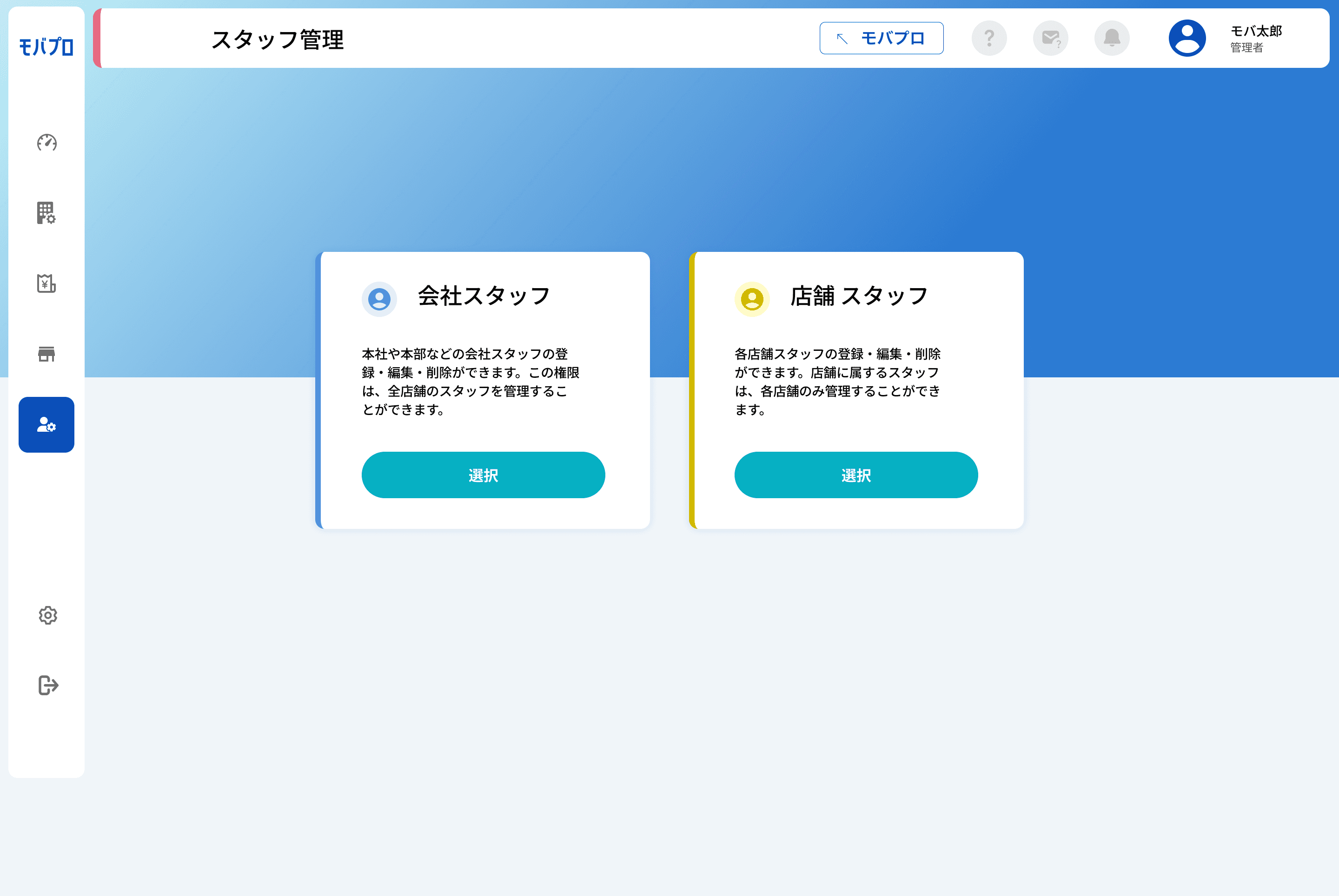
The Staff Management Page provides a clear overview of all registered staff members, including information on who is actively using the Mobapro platform.
Admins can easily add new staff, edit existing profiles, or delete entries as needed. This page ensures efficient management of staff data, supporting smooth access control and visibility within the organization.
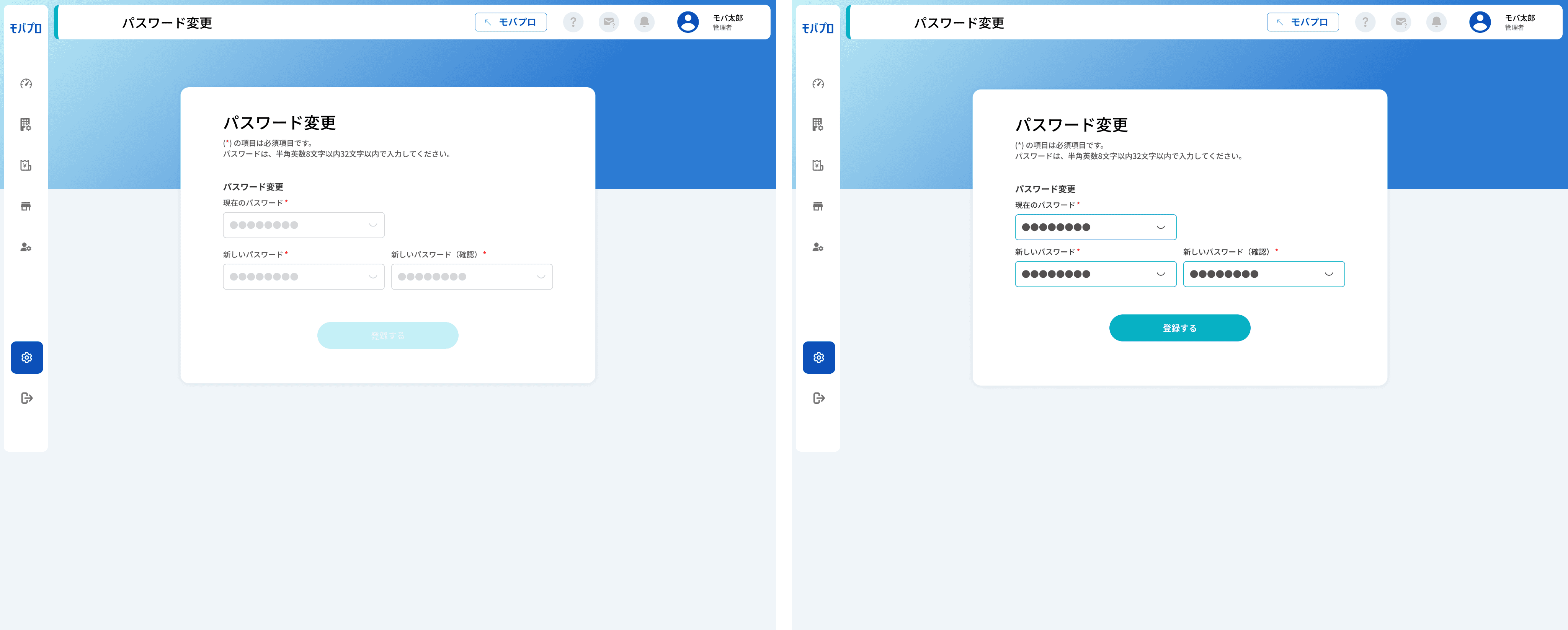
The Change Password Setting feature is designed to enhance the security of each store and staff account. Since merchants may manage multiple stores and assign different staff members, maintaining confidentiality and access control is essential.
This setting allows individual staff members to update their passwords securely, ensuring that sensitive information remains protected across all store operations.
To connect store machines with the Mobapro system, engineers are required to configure essential credentials — including the machine ID, URL, and password.
This setup ensures a secure and seamless integration between the hardware and Mobapro, allowing real-time data flow and system synchronization for smoother operations across all store locations.
Merchant Registration Page

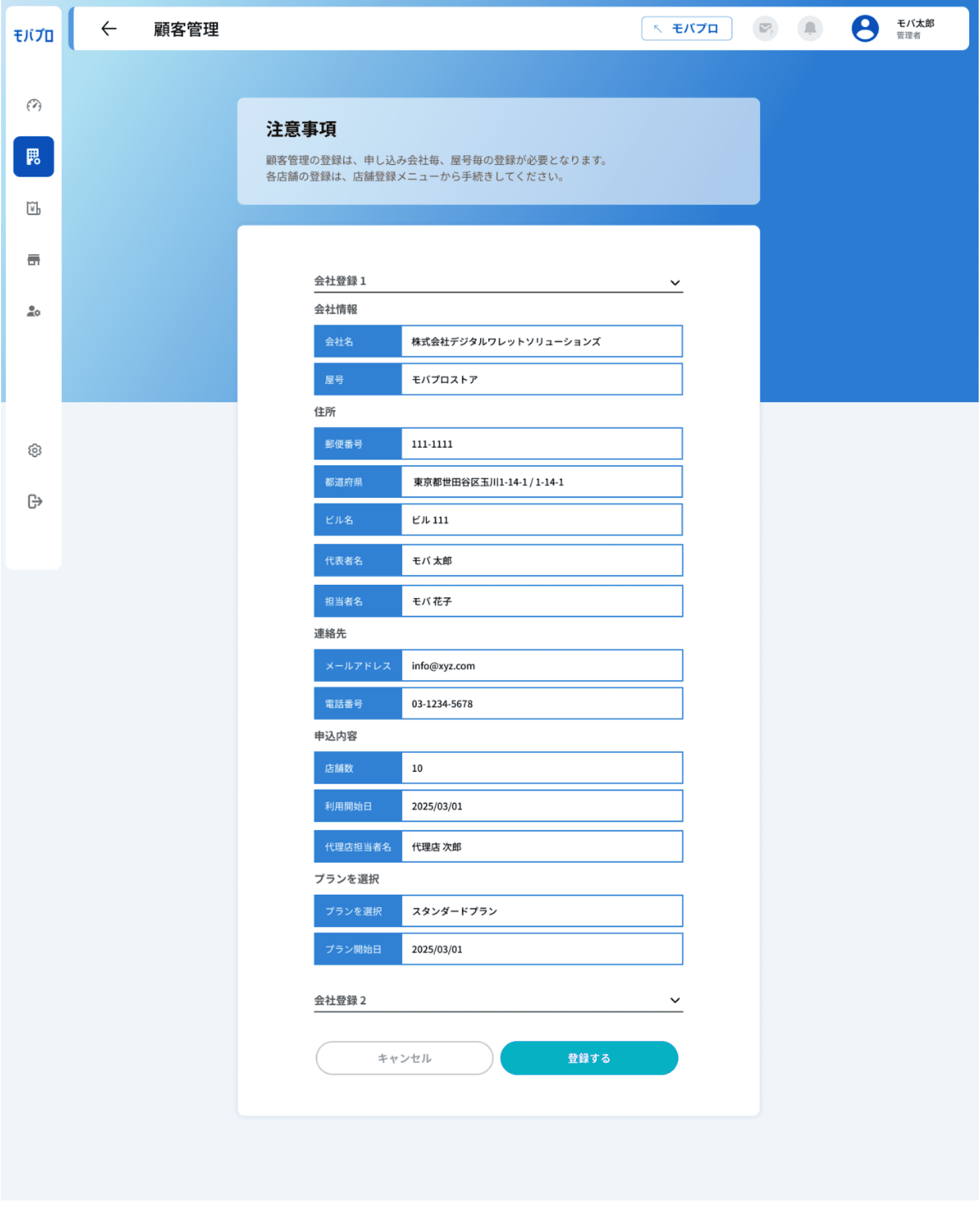
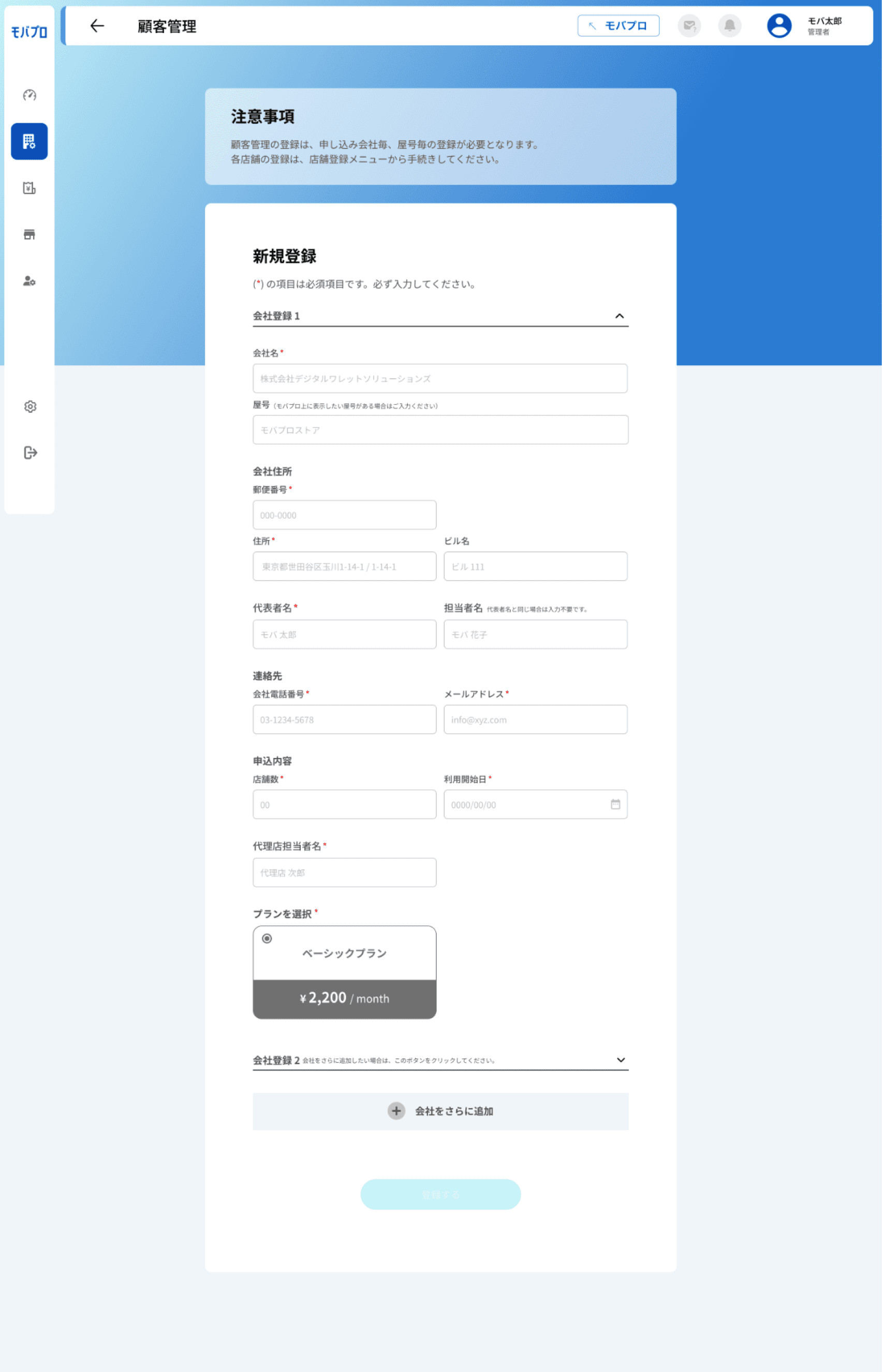
The Merchant Management Page is designed to efficiently handle merchants with multiple store registrations — even up to 10 or more stores under one merchant. From this centralized interface, users can register multiple stores simultaneously for a single merchant, reducing repetitive data entry and improving admin workflow.
The page displays all registered merchants along with their active/inactive status. It includes powerful filtering options by name, status, or registration date, making it easy to find specific stores. Admins can also view detailed merchant profiles, edit store information, or delete entries
Store page
Bhaswara Maralaut
More projects and experiences are always on the way.
Let's keep in touch!